
All blogs
AI App Development
Voice Recognition Testing: Best Practices
Testing voice recognition must validate the full speech-to-action path, not just transcripts.
7 min read
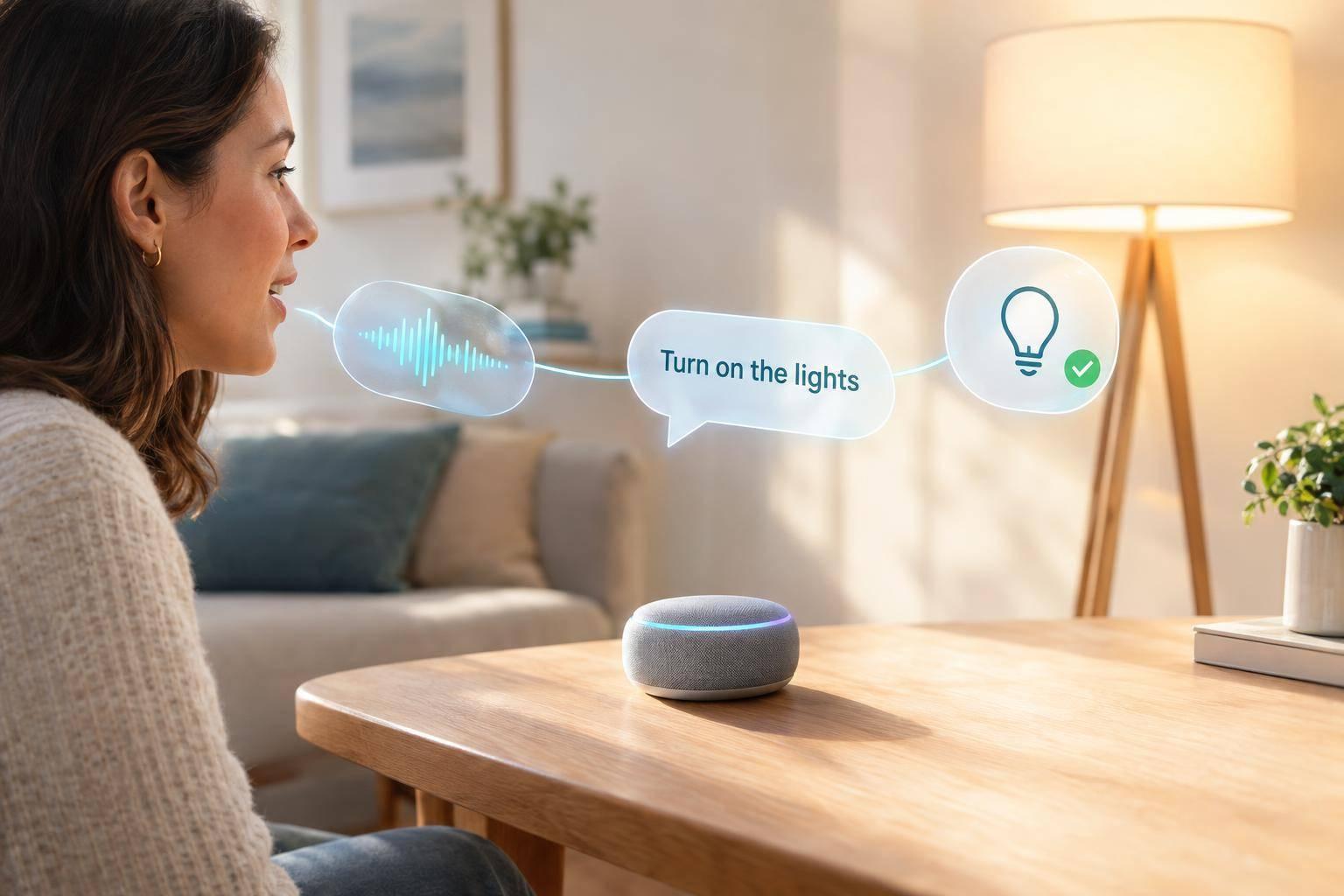
Voice Recognition Testing: Best Practices
I test whether voice commands produce the right action - not just the right words. My starting point: define supported tasks, set pass/fail limits by risk, and check all 5 stages from microphone input to app response.
Here’s what I include:
- Test data: Consented, versioned recordings across accents, devices, noise levels, and network conditions - with clear privacy rules.
- Results: Word, intent, and entity accuracy; task completion; false actions; and response time, broken down by test group.
- Safety and recovery: Permission checks, clarification, cancellation, duplicate-action prevention, and text or touch alternatives.
- Release checks: Repeatable automated tests, baseline comparisons, accessibility checks, and production monitoring.
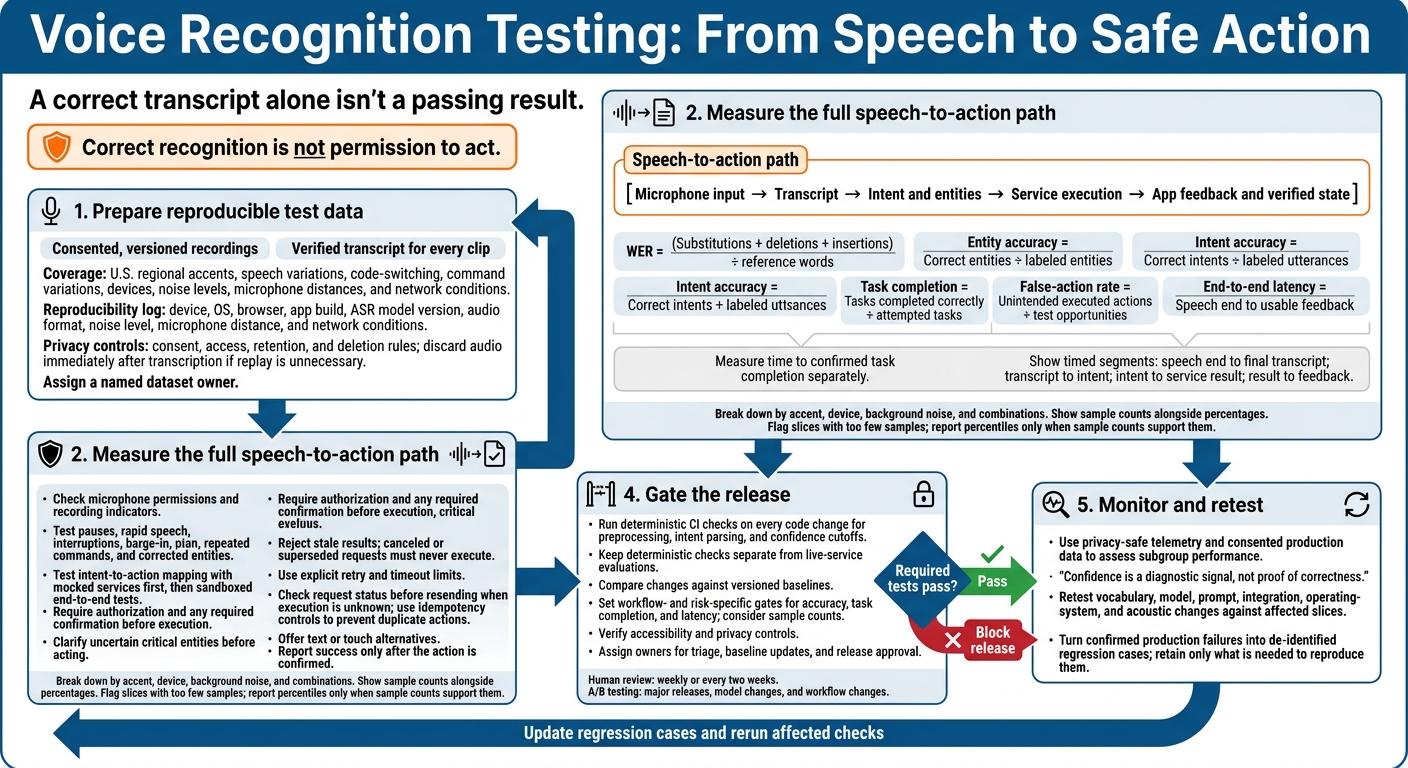
My rule: <u>correct recognition is not permission to act</u>. I check the final app state and block release when required tests fail. A correct transcript alone isn’t a passing result.
Prepare Test Data and Recording Conditions
Define each dataset using your scope and pass criteria, and assign a named owner so distributed teams can reproduce each run.
Build a Versioned Reference Dataset
Collect human recordings with consent, covering U.S. regional accents, speech variations, code-switching, and command variations. Use the scope and pass criteria above to guide coverage. Attach a verified transcript to every clip, and version every change.
Test Devices and Acoustic Conditions
Test representative iOS and Android devices and web browsers with the microphones you support. Include different ambient noise levels and microphone distances.
For each run, log the device, OS, browser, app build, ASR model version, audio format, noise level, microphone distance, and network conditions. These records let teams reproduce test conditions and compare accuracy and latency across runs.
Protect Audio and Transcript Data
Set consent, access, retention, and deletion rules before collecting audio. Review applicable recording-consent requirements, and give people a way to request deletion of their collected audio and transcripts. If you don’t need to replay a recording, discard the audio immediately after transcription.
sbb-itb-622dc24
Measure Performance and Test Failure Cases
Use the versioned dataset and device matrix from the previous section to benchmark accuracy, safety, and latency.
Measure Recognition, Task Completion, and Latency
Track word error rate (WER), intent accuracy, entity accuracy, task completion, false-action rate, and latency. Define the denominator for each metric and use consistent scoring rules. Break down results by accent, device, and background noise, including combinations of these conditions. Show sample counts alongside percentages.
Time each stage separately: speech end to final transcript, transcript to intent, intent to service result, and result to feedback. Define end-to-end latency as the time from speech end to usable feedback. Measure time to confirmed task completion separately.
Report percentiles only when a slice has enough samples. Include sample counts and flag slices with too few samples.
| Metric | Definition and test method | Release gate | Failure consequence |
|---|---|---|---|
| WER | (Substitutions + deletions + insertions) ÷ reference words; compare against verified transcripts with fixed normalization rules. | App-specific limit for each required usage slice. | Commands become harder to understand. |
| Entity accuracy | Correct entities ÷ labeled entities; check critical entities separately. | Stricter gates for critical entities. | The wrong action or value may be selected. |
| Intent accuracy | Correct intents ÷ labeled utterances. | Minimum for each intent and risk level. | Correct words still produce the wrong action. |
| Task completion | Tasks completed correctly ÷ attempted tasks; verify the final state. | Minimum for each supported workflow. | Users cannot finish their goal. |
| Latency | Measure timestamped stages and end-to-end elapsed time. | Latency budget for each workflow. | Users repeat commands or abandon tasks. |
| False-action rate | Unintended executed actions ÷ test opportunities. | No sensitive actions without authorization in the release suite. | Unwanted changes or security harm. |
Test Activation, Dialog, and Actions
After scoring transcription quality, test the full speech-to-action path under actual interaction conditions.
If the app uses wake words, measure missed wake words against intended attempts and false activations against ambient audio exposure. Check microphone permission states and recording indicators.
Test endpointing with pauses and rapid speech. Cover interruptions, barge-in during app speech, cancellation, and repeated commands. Verify that multi-turn context survives corrections without carrying old details into the next task.
Check intent-to-action mapping with mocked services first. Then run sandboxed end-to-end tests to verify actual state changes. Include ambiguous requests, corrected entities, and commands repeated before a response arrives.
Confirm that background speech and spoken instructions cannot bypass authorization or required confirmation. Recognizing a command does not grant permission to execute it.
Test Error Handling and Recovery
Once the happy path is stable, force failures to check that fallback behavior is safe.
Inject failures at the recognition, interpretation, and execution stages. Require clarification before acting on uncertain critical entities. Set explicit retry and timeout limits, retain only confirmed context, and offer text or touch alternatives.
If execution status is unknown, check the existing request before resending it. Use idempotency controls to prevent duplicate actions.
| Failure condition | Expected behavior | User feedback | Recovery path |
|---|---|---|---|
| Network loss | Stop waiting at the configured timeout and preserve the last confirmed input. Prevent silent failure and duplicate execution. | Report the connection problem. | Reconnect and check request status before retrying, or switch to text/touch. |
| Jitter or delayed responses | Reject stale recognition or execution results. Canceled or superseded requests must never execute. | Show a pending state. | Accept only the current valid result. |
| Server errors | Use bounded retries only for safe operations. Enforce the retry limit and prevent duplicate actions. | Report that the request could not finish. | Check execution status before retrying, or offer text/touch input. |
| Microphone denial | Stop voice capture attempts and let the user continue without voice. | Explain that microphone access is unavailable. | Offer permission settings and text/touch input. |
| Low confidence or uncertain critical entity | Ask for clarification before execution. Never use an unresolved critical value. | Identify what needs confirmation. | Confirm or correct the uncertain detail. |
| Unavailable tool or service | Report success only after the action is confirmed. Feedback must match the actual application state. | Report that the action is unavailable. | Check confirmed state before retrying, or offer a supported text/touch alternative. |
Automate Regression Tests and Release Checks
Run Repeatable Voice Tests in CI
After manual validation, add repeatable checks to CI to protect the same speech-to-action path. On every code change, run deterministic tests for preprocessing, intent parsing, and confidence cutoffs. Use fixed inputs and expected outputs, and keep these checks separate from live-service evaluations.
Schedule human review of complex dialogs weekly or every two weeks. Reserve A/B testing for major releases, model changes, and workflow changes.
Check Baselines and Accessibility Before Release
Compare model, prompt, SDK, and app changes against versioned baselines for the required slices. Set release gates for accuracy, task completion, and latency based on sample count and risk. These gates should protect the recognition, intent, and task-success outcomes measured earlier.
Assign owners for triage, baseline updates, and release approval. Before release, verify accessibility and privacy controls, and block releases with unresolved gate failures. Document which baseline breaches require rollback or investigation.
Monitor Production and Retest Changes
Track production performance with privacy-safe telemetry to catch drift between releases. Confidence is a diagnostic signal, not proof of correctness. Use consented production data to assess subgroup performance.
Retest vocabulary, model, prompt, integration, operating-system, and acoustic changes against the affected slices. Turn confirmed production failures into de-identified regression cases, keeping only the data needed to reproduce them.
Conclusion: Follow a Repeatable Voice Testing Checklist
Bring the earlier scope, data, metrics, and recovery rules into one checklist. Start with the highest-priority user journeys, and review the core quality metrics together as a single gate.
Use that same checklist for regression testing and release checks. Include error recovery and accessible controls, and rerun affected checks after any voice change.
FAQs
How many voice samples do I need for reliable testing?
Aim for about 100,000 voice samples - the industry standard for optimal performance in machine learning projects. Include voices from different regions, age groups, and linguistic backgrounds to improve recognition accuracy [2].
Synthetic speech with varied accents can help normalize your data. But you still need natural voice variations for reliable performance across user scenarios and device settings [2].
How do I set pass/fail thresholds for voice commands?
Before implementation, work with developers and product owners to define testable acceptance criteria that match user needs. Write tests that spell out expected outcomes before generating code. Use type-checking and explicit data structures to enforce constraints.
Make manual reviews with a diverse group of users a priority to spot performance issues in everyday use. Use automated tools to catch technical bugs. When results are unclear, ask for clarification or use another fallback instead of failing the command outright.
How can I distinguish recognition errors from app bugs?
Pinpoint where things go wrong. Speech recognition errors often stem from background noise, unclear speech, or differences in accent and pitch. If the transcript is correct but the app crashes or doesn’t carry out the request, an app bug may be to blame.
Use unit and integration tests to check the app’s logic, ask experts to review input-output pairs, and log failures. These checks help separate recognition errors from network problems, API timeouts, and code errors.
More from the studio

