
All blogs
Mobile App Development
Top Reasons Apps Get Rejected on App Stores
Explore the top reasons apps are rejected by app stores, from technical issues to design flaws, and learn how to improve your submission chances.
13 min read
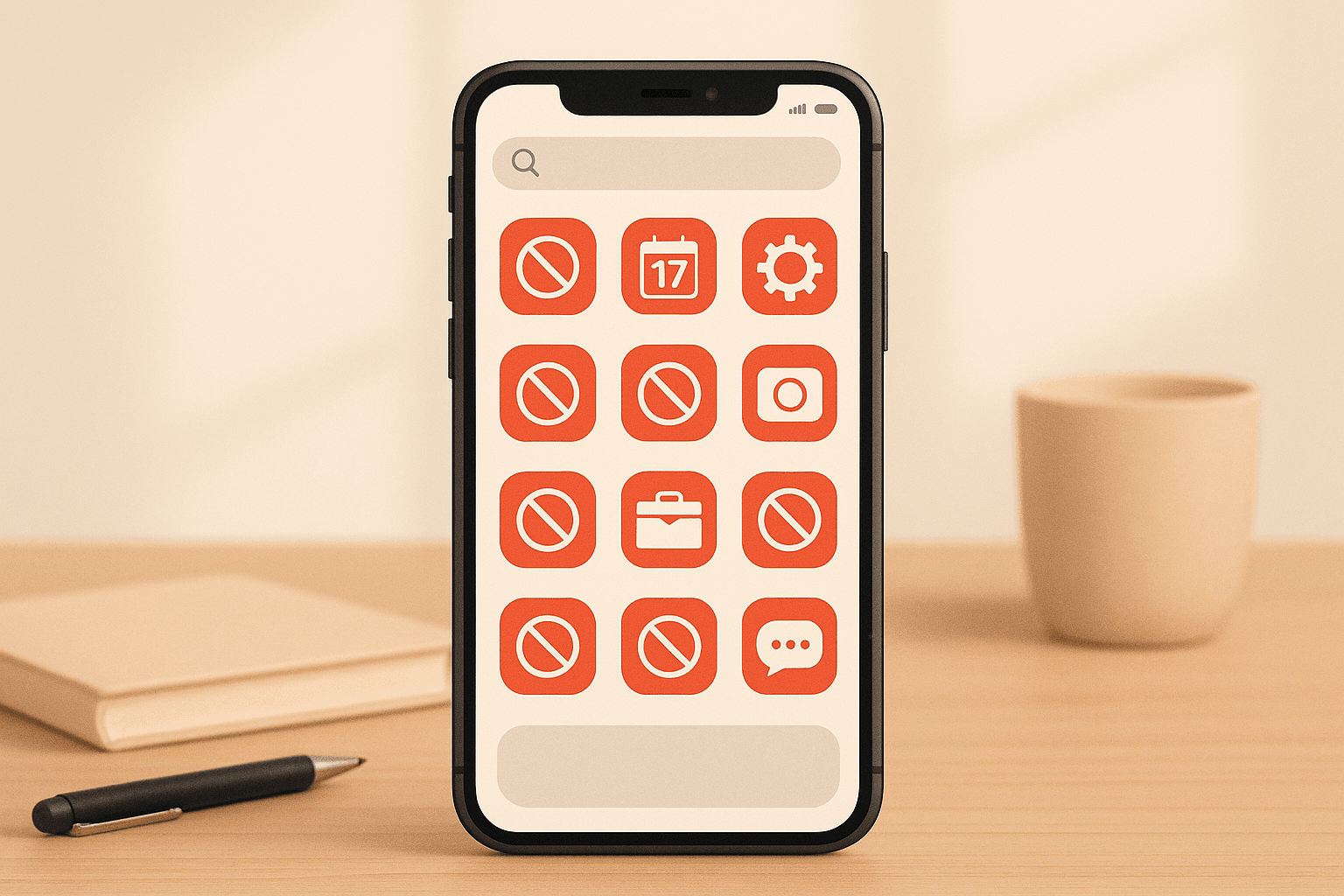
Top Reasons Apps Get Rejected on App Stores
Apps get rejected from the Apple App Store and Google Play for a variety of reasons, often delaying launches and increasing costs for developers. Common issues include technical problems, lack of compliance with platform policies, and poor user experience. Here's a quick breakdown of the top reasons:
- App Crashes and Bugs: Frequent crashes or glitches, especially during basic functionality tests, lead to rejection.
- Privacy Policy Issues: Missing or incomplete privacy policies, particularly for apps collecting user data.
- Violation of Platform Guidelines: Breaking rules around content, monetization, metadata, or age ratings.
- Low Value to Users: Apps offering limited functionality or duplicating existing tools are often flagged.
- Copyright Problems: Using copyrighted materials without permission can result in rejection and legal risks.
- Poor Design: Bad navigation, inconsistent layouts, or lack of accessibility features can hurt approval chances.
- Incorrect Metadata: Incomplete or inaccurate app descriptions, screenshots, or categorization disrupt the review process.
Key Insight: Both Apple and Google have strict requirements but differ slightly in focus - Apple prioritizes design and originality, while Google emphasizes security and functionality. Developers should thoroughly test apps, adhere to guidelines, and ensure all details are accurate before submission to avoid delays.
Why App Gets Rejected by Play Store & App Store | Sensitive Permission Fix Explained
1. App Crashes, Bugs, and Poor Performance
Apps that crash immediately after launch or experience frequent glitches during basic functionality tests are often rejected by both the Apple App Store and Google Play. These platforms prioritize user experience, and apps that fail to meet stability standards simply don’t make the cut.
Another common issue is memory leaks. These occur when an app improperly manages device memory, leading to instability and potential crashes. Fixing these technical problems is crucial to ensure your app passes the review process and provides a smooth user experience.
2. Missing or Incomplete Privacy Policies
If you're aiming for app approval, having a privacy policy isn't optional - it's a must. Both Apple and Google require apps that collect user data to provide a clear, easy-to-understand explanation of what data is being collected and how it will be used.
Your privacy policy needs to be accessible in two places: within the app itself (usually in sections like "Settings", "About", or "Legal") and on your app's store listing page. Only including it in one spot can lead to rejection.
What should a privacy policy include?
A well-crafted privacy policy should cover all the bases, explicitly listing the types of data your app collects, such as:
- Personal information like names, email addresses, or phone numbers
- Sensitive data such as health or financial details
- Usage data like app activity or session durations
- Technical data including device information and IP addresses
- Location data, whether precise or general
For each type of data, explain why you're collecting it. Whether it's to make the app work properly, enhance user experience, provide personalized ads, analyze usage trends, handle customer support, or process payments, reviewers will want to see a clear link between the data collected and its purpose.
If your app shares data with third parties, be upfront about it. For example, if you're using tools like Google Analytics or Facebook SDK, make sure to disclose this, along with why you’re sharing the data.
The tone and language of your privacy policy matter, too. Skip the heavy legal jargon and opt for clear, straightforward language that anyone can understand.
One last thing: even if your app processes user data locally and doesn’t send it to external servers, you still need a privacy policy if you’re collecting any user information. Up next, we'll look at how platform-specific rules can further affect your app's approval process.
3. Breaking Platform Rules and Guidelines
Every app store has strict rules, and breaking them often leads to immediate rejection. Both Apple's App Store Review Guidelines and Google Play's Developer Policy Center outline specific requirements that developers must meet to get their apps approved.
One of the most frequent issues is content restrictions. Both platforms forbid apps that promote hate speech, graphic violence, unlicensed gambling, dangerous behavior, or misleading health claims.
Another common problem is technical performance. Apps that drain battery life, cause devices to overheat, or don’t perform well on standard models are typically rejected by both Apple and Google.
Monetization practices are also closely monitored. For example, apps that try to bypass Apple’s in-app purchase system or direct users to external payment platforms will face rejection.
Age ratings are a detail developers can’t afford to overlook. If your app is rated for ages 4+ but includes mature themes, it’s guaranteed to be rejected.
Then there’s the issue of metadata violations. Misleading app names, keyword stuffing, or making false claims about your app’s features can all result in rejection. Make sure your app’s metadata is accurate and reflects its actual functionality.
Finally, always review the latest guidelines before submitting your app. Both Apple and Google frequently update their requirements, so working with outdated rules can lead to unnecessary mistakes. If you’re unsure about something, it’s better to play it safe. And remember, Apple emphasizes sleek design, while Google prioritizes security and privacy - tailor your app accordingly.
4. Apps That Don't Provide Enough Value
Apple and Google have tightened their app review processes, often rejecting apps that fail to deliver meaningful value to users. Apps that don’t stand out or offer no distinct solution are quickly flagged during these evaluations.
Simple utility apps are among the most at risk. If an app merely displays static information or duplicates features already built into devices, it’s likely to be turned down. Reviewers are looking for apps that genuinely improve the user experience, not ones that repackage existing tools. To stand a chance, apps must go beyond basic utility, offering both originality and complete functionality.
If your app relies on generic templates or lacks any unique elements, expect it to be rejected. Reviewers are quick to dismiss apps that feel unoriginal or fail to bring anything new to the table.
Originality isn’t just a bonus - it’s a requirement. Basic proof-of-concept apps that don’t address a real-world need or lack entertainment appeal often don’t make the cut. Your app should either solve a problem or provide a type of enjoyment users actively seek.
Another critical factor is functionality. Every feature you advertise must work flawlessly. Apps with broken features, placeholder content, or incomplete designs are rejected immediately. Functionality issues not only hurt your app’s chances but also signal a lack of attention to detail.
Highly specialized apps face their own challenges. If the app’s purpose isn’t immediately clear to reviewers, it may be rejected, even if it has potential within a niche audience. For these apps, it’s essential to clearly communicate their value and demonstrate their usefulness to the intended market.
To avoid these pitfalls, focus on building apps that solve real problems or deliver clear entertainment value. Ensure every feature works perfectly, and aim to offer something users can’t easily find elsewhere. Both Apple and Google prioritize quality over quantity when deciding which apps make it onto their platforms.
sbb-itb-622dc24
5. Copyright and Content Problems
Getting your app rejected from the Apple App Store or Google Play can happen quickly if you're caught violating copyright laws. Using someone else's creative work without permission not only risks rejection but also opens the door to potential legal troubles.
The most common issues revolve around using copyrighted materials like music, artwork, videos, movie images, or album covers. Even a single instance of using copyrighted content - such as a song or a screenshot - can lead to rejection. Additionally, incorporating third-party materials, such as trademarks, artwork, or patented ideas, increases the likelihood of facing infringement claims.
If your app requires the use of copyrighted materials, obtaining permission is critical. For complex works, like recorded music, this process can be lengthy - sometimes taking one to three months - because multiple rights holders may be involved. To avoid delays, start early by identifying the owners, clarifying the specific rights you need, and negotiating the terms.
Ownership rules vary depending on how the work was created. If an employee creates content, the company typically owns it. However, for independent contractors, you must secure a "work-for-hire" or assignment agreement to ensure ownership rights.
For works published after 1923, assume they are still protected under U.S. copyright law. Don't make assumptions about public domain status or rely on fair use exceptions without proper verification. The safest route is to either create original content or purchase licenses from trusted sources. Always get agreements in writing, as verbal arrangements are hard to enforce and may leave you unprotected in case of disputes.
While plagiarism might be an ethical concern, copyright infringement is a legal issue that can derail your app's success. Following copyright laws is just as important as meeting performance and policy standards. Legal compliance not only protects you from risks but also ensures your app meets the strict requirements for approval.
6. Bad User Interface and Design
A poorly designed user interface (UI) can doom your app's chances of approval. Just like stability and privacy, a clean and well-thought-out design is non-negotiable when it comes to passing app reviews.
After technical and policy requirements, design quality is a major focus during the review process. Both Apple and Google set high standards for user experience. Apple's Human Interface Guidelines and Google's Material Design principles stress the importance of clarity, consistency, and ease of use. If your app doesn’t meet these criteria, it’s likely to be rejected - no matter how functional it is.
One common reason for rejection is inconsistent navigation. Apps with unclear menus, confusing layouts, or non-standard icons often fail to make the cut. If users can’t figure out how to use your app within seconds, reviewers will flag it as a usability issue.
Apple is particularly strict about apps that feel like mere website wrappers. If your app has a cluttered layout, lacks native functionality, or offers a poor navigation experience, it risks rejection. While Google Play is slightly less rigid in this area, it still penalizes apps that fail to meet visual and accessibility standards.
Accessibility is another key factor. Apps that don’t support screen readers, offer proper color contrast, or allow scalable text are often rejected. Both Apple and Google require compliance with accessibility standards to ensure usability for people with disabilities.
To avoid these design pitfalls, stick closely to platform-specific guidelines. Keep your app’s colors, fonts, and layouts consistent, and ensure all interactive elements are clearly labeled and responsive. Testing your UI thoroughly - with real user feedback whenever possible - can help you catch confusing navigation flows or design flaws before submission.
Partnering with experienced developers can also make a big difference. For instance, companies like Appeneure specialize in following platform guidelines and applying UI/UX best practices, which can help you avoid common design mistakes. If you receive design feedback during the review process, take it seriously. Address every issue, document your changes, and retest your app before resubmitting. This proactive approach can save you time and money while increasing your app’s chances of approval. A polished design isn’t just about aesthetics - it’s essential for a smooth review process.
7. Missing or Wrong App Information
Submitting an app isn’t just about nailing the technical performance and design - it’s also about getting the details right. Your app's metadata plays a big role in whether it gets approved or rejected. Both Apple and Google demand that the information you provide is complete, accurate, and consistent. Any missing or incorrect details can easily derail your approval process.
For starters, your app description needs to be crystal clear. It should explain exactly what your app does, who it’s designed for, and what features it offers. Apple explicitly states that app descriptions must accurately reflect the app's functionality. A vague or incomplete description that leaves reviewers guessing is a surefire way to get rejected.
Screenshots are another common stumbling block. Make sure to include high-resolution images that showcase your app’s core features and user interface. These screenshots should represent the current version of your app and be tailored to all required device types. Low-quality or irrelevant screenshots won’t just hurt your chances of approval - they’ll also make a bad first impression on potential users.
Categorization is equally important. Mislabeling your app - like submitting a fitness app under "Games" or a business tool under "Entertainment" - can disrupt how your app is discovered and lead to rejection. Choose the most accurate category to ensure your app lands in front of the right audience.
Another detail to watch out for is version information. Any mismatch between your app’s version and the metadata you provide can cause issues during the review process. Double-check that everything aligns before you hit submit.
Don’t overlook your contact and support details, either. Both Apple and Google require a working support URL and a valid email address. If reviewers can’t reach you through the provided contact methods or if your support page is broken, your app might not make the cut.
Age ratings also need careful attention. Both platforms use detailed questionnaires to determine the appropriate rating for your app. Be honest about any mature themes, violence, or user-generated content. An inaccurate age rating - whether too strict or too lenient - can lead to delays or outright rejection.
Finally, your app title deserves thoughtful consideration. Avoid stuffing it with keywords, using trademarked terms you don’t own, or adding irrelevant descriptors. Apple is particularly strict about keeping app titles natural and free of unnecessary clutter.
To dodge these common metadata pitfalls, create a thorough submission checklist and review every detail before submitting. If you’re unsure, consulting experienced developers - like those at Appeneure - can help ensure your metadata aligns perfectly with your app build. Just like solid functionality and great design, accurate metadata is essential for a smooth approval process.
Apple App Store vs Google Play Rejection Reasons
Apple and Google both maintain strict quality standards for apps, but their reasons for rejection often differ. Apple tends to reject apps that are spam-like, overly basic, or lack robust functionality. On the other hand, Google Play is more lenient with simple utility apps, as long as they meet the required quality benchmarks.
Grasping these platform-specific criteria is crucial for refining your app's design and functionality before submitting it. The table below highlights the key differences, emphasizing why tailoring your app to each platform's unique requirements is essential.
Conclusion
Getting your app approved means tackling the technical, policy, and design challenges highlighted earlier. Precision and strict adherence to guidelines are non-negotiable when it comes to app submission.
In 2023, more than 40% of initial app submissions were rejected due to guideline violations, technical flaws, or incomplete information. This striking figure emphasizes the need for thorough preparation before hitting "submit." Simply put, a well-prepared app has a much better chance of clearing the review process on the first try.
Partnering with professional development services can significantly lower the risk of rejection. For instance, Appeneure has worked with over 100 clients in industries like dating, fitness, health tech, e-commerce, and AI-powered apps. Their expertise spans both iOS and Android platforms, and their specialized UI/UX design services ensure apps meet the rigorous technical and design standards set by Apple and Google.
To minimize rejection risks, proactive measures are crucial. This includes rigorous testing to catch crashes and bugs, implementing clear privacy policies with user consent mechanisms, and designing a user interface that aligns with platform-specific guidelines. Apps that maintain active support channels and ongoing updates also tend to perform better during the review process, as they demonstrate a commitment to quality and user satisfaction.
Both Apple and Google continue to raise the bar for app quality, rejecting submissions that lack originality or closely mimic existing apps.
FAQs
How can developers ensure their app's privacy policy complies with Apple and Google app store requirements?
To comply with Apple and Google app store guidelines, developers need to clearly explain their app’s data collection, usage, and sharing practices in the privacy policy. This means detailing what data is being collected, the reasons for collecting it, and whether it’s shared with any third parties. The privacy policy should be easy to find, both within the app itself and on its app store listing.
Regular updates to the privacy policy are essential, especially when there are changes to how data is handled. Developers must also meet platform-specific requirements, like Apple’s Privacy Manifest and Google’s data safety disclosures. Keeping the policy transparent and current not only helps avoid app store rejections but also strengthens user trust.
How can an app stand out and avoid rejection for limited functionality or being too similar to other tools?
To make your app stand out and avoid rejection for being too similar to others or offering limited functionality, focus on creating features that truly address specific user needs or improve their experience in a noticeable way. Instead of copying existing tools, aim to introduce something new and engaging.
Make sure your app's value proposition is crystal clear. Identify the problems your users face or the gaps in current solutions, and show how your app fills those gaps or makes things easier. By offering a clear benefit or solving an overlooked issue, you'll not only increase the chances of approval but also make your app more attractive to users.
What are the common design mistakes that cause app rejections, and how can developers prevent them?
Apps frequently face rejection because of confusing navigation, clunky or hard-to-use interfaces, sluggish responsiveness, or missing UI elements. Another common reason? Crashes and bugs that surface during testing.
To avoid these pitfalls, developers should prioritize usability testing, make sure the app follows Apple’s Human Interface Guidelines, and rigorously check for bugs before submitting. Focusing on a design that's easy to use, ensuring all UI components are complete, and adhering to privacy standards can go a long way in minimizing the risk of rejection.
More from the studio

