
All blogs
Mobile App Development
How to Place Banner Ads in Mobile Apps
Learn effective strategies for placing banner ads in mobile apps that enhance user experience while maximizing revenue potential.
15 min read
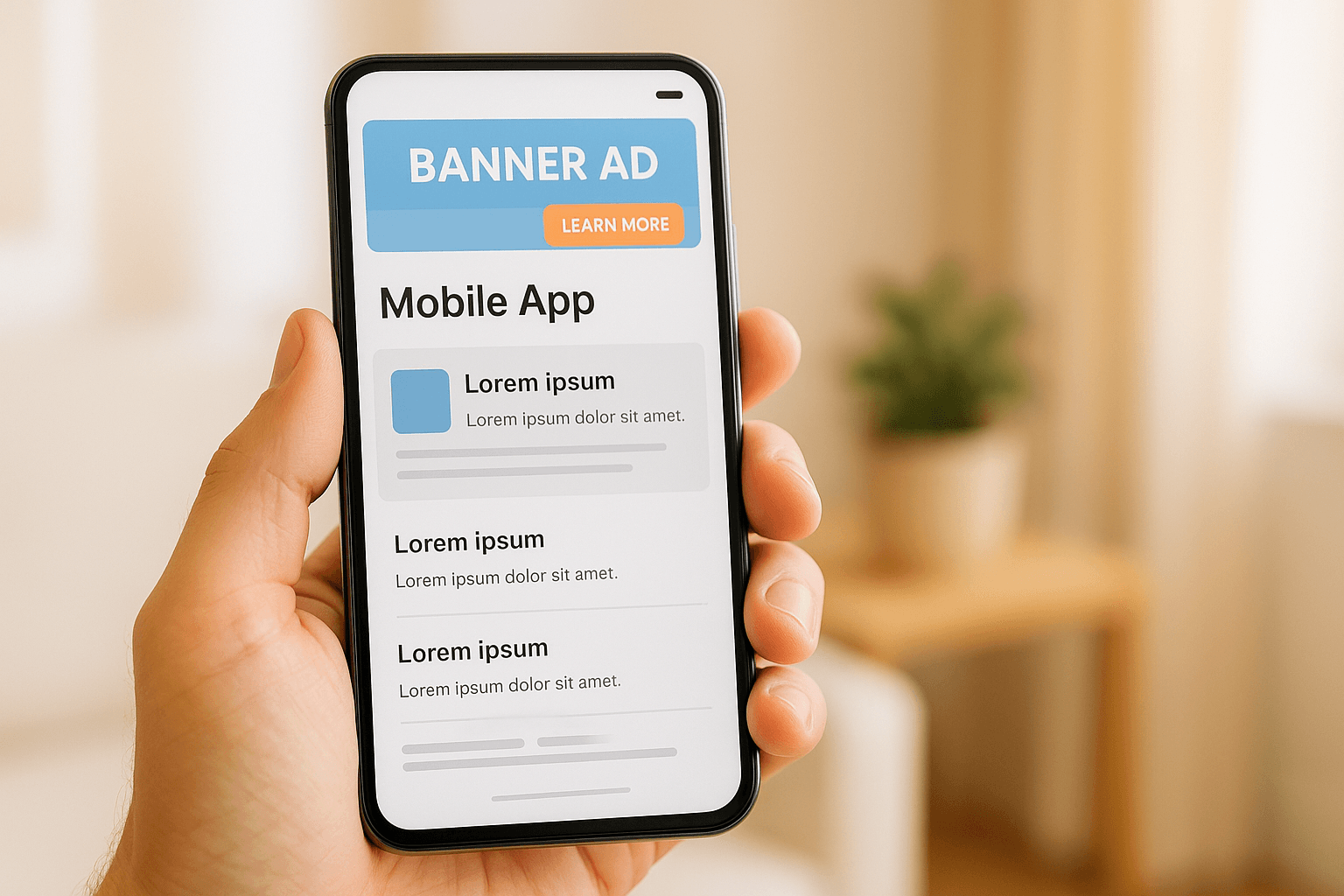
How to Place Banner Ads in Mobile Apps
Banner ads are a proven way to generate consistent revenue while keeping your app free for users. The key to effective banner ad placement lies in balancing user experience with monetization goals. Here's what you need to know:
- Ad Formats: Use 320x50 banners for minimal disruption or 300x250 rectangles for more detailed visuals. Smart banners resize automatically for different devices.
- Placement Tips:
- Top or bottom edges work for consistent visibility.
- In-content ads fit naturally between posts or game levels.
- Avoid placing ads near buttons to reduce accidental clicks.
- Design Rules:
- Use clear visuals, concise text, and strong calls-to-action like "Shop Now."
- Match ad design to the app's style for a cohesive look.
- Optimization:
- Test placement, timing, and formats with A/B testing.
- Monitor metrics like CTR, accidental clicks, and user retention.
- Use tools like heat maps to identify high-visibility areas.
AdMob // Best practices for using Banner Ads
Banner Ad Formats and Sizes
Picking the right banner ad format can make a big difference in how users engage with your app. Each size serves a specific purpose, balancing revenue potential with user experience.
Standard Banner Ad Sizes
The 320x50 pixel banner is a go-to choice for mobile apps. Its compact design fits neatly at the top or bottom of most screens, ensuring it doesn't interfere with the app's content. This makes it ideal for apps with scrollable feeds, like social media platforms or news apps.
For apps that need more visual impact, the 300x250 pixel medium rectangle offers a larger canvas. This format works well in content breaks - such as between articles in reading apps or between levels in games - providing space for detailed product information, multiple images, or interactive features. It’s particularly effective for e-commerce ads, where showcasing product visuals, prices in U.S. dollars, and clear call-to-action buttons is key. These ads allow advertisers to present their offerings more comprehensively.
Smart Banners and Medium Rectangles
Adaptive formats, like smart banners, bring flexibility to the table. These banners automatically adjust their dimensions based on the device's screen size and orientation. For instance, when a user switches from portrait to landscape mode, the banner resizes to maintain its proportions.
Smart banners are also well-suited for rich media content, such as videos, animations, or interactive elements - things that traditional banner sizes might struggle to support effectively.
Choosing the Right Format for Your App
Gaming apps often perform well with medium rectangles placed during natural pauses, like between levels. Productivity apps, on the other hand, benefit from the less intrusive 320x50 banners positioned at the edges of the screen. Social media and content apps can use a mix of formats: standard banners work well in fixed spots like headers or footers, while medium rectangles can be integrated seamlessly into content feeds, appearing between posts or articles.
Placement is crucial, especially in apps that involve frequent tapping or swiping near screen edges. Larger banners in these areas could lead to accidental clicks, frustrating users. Instead, medium rectangles are better positioned in content areas where users naturally pause to interact.
Your monetization goals also play a role in format selection. Standard banners are great for generating steady, lower-value impressions in high-traffic apps. Medium rectangles, while offering higher revenue potential, require strategic placement to avoid disrupting the user experience.
Banner Ad Placement Principles
Placing banner ads thoughtfully can turn them into effective revenue tools rather than nuisances. The trick lies in finding spots where they catch attention without interrupting the user experience.
Best Placement Locations
Top placement is ideal for apps where users naturally pause before diving into the content. News and social media platforms frequently use this spot to ensure brand visibility. However, one downside is that it can push key app content below the fold, especially on smaller screens.
Bottom placement offers consistent exposure while minimizing accidental clicks. Since users interact less with the bottom edge of the screen during typical app usage, this position works well for productivity apps, where the focus remains on the central content.
In-content placement blends ads into natural breaks, like between social media posts, news sections, or game levels. The goal is to match the ad’s design with the app’s overall look, making it feel like part of the experience rather than an intrusive element.
Interstitial moments are perfect for full-screen ads during transitions, such as loading screens, completing a game level, or moving between app sections. Users expect brief pauses in these situations, making them more open to viewing ads.
Once these placements are set, user behavior analytics can help fine-tune their effectiveness.
Using User Behavior Analytics
Tools like heat maps can pinpoint high-visibility areas with minimal interaction, making them prime spots for ads. For instance, if users often glance at the upper-right corner without tapping, that location could be ideal for a banner. Session flow analysis highlights natural pauses - like when users linger for 10 seconds or more - indicating opportunities for ad placement. Additionally, time-based patterns and device orientation data can inform decisions. Portrait mode often favors top or bottom placements, while landscape mode might open up side positioning.
Common Placement Mistakes to Avoid
Even with a solid strategy, certain missteps can derail your efforts:
- Too close to interactive elements: Ads placed within 44 pixels of buttons, navigation areas, or swipe zones lead to accidental clicks, frustrating users. Following Apple’s touch target size recommendations ensures a comfortable buffer.
- Blocking essential content: Ads should never cover critical features like menus, form fields, or navigation tools. Fixed ad positions must be tested across devices to avoid functionality issues.
- Causing layout shifts: Ads that appear after content loads can disrupt the user experience by shifting layouts unexpectedly. Reserving space for ads during the initial layout prevents this problem.
- Overcrowding the screen: Too many ads on one screen dilute their impact and overwhelm users. A single, well-placed banner is often more effective. For apps with long scrolling content, spacing ads every 3-4 screen lengths keeps visibility high without feeling excessive.
- Inconsistent placement: Changing ad positions across app screens can confuse users and hurt performance. For example, if you use bottom placement on the main screen, stick with that throughout the app to maintain consistency and user trust.
Design and User Experience Best Practices
When it comes to banner ads, great design and user experience are just as important as strategic placement. The goal is simple: incorporate ads in a way that generates revenue without disrupting your app’s flow or frustrating users. This requires careful attention to visuals, responsiveness, and how ads interact with the app's overall design.
Clear Visuals and Messaging
The foundation of an effective banner ad lies in its visuals. High-quality images are non-negotiable - blurry or pixelated designs can quickly erode user trust. Every visual element should communicate its purpose clearly and cleanly.
Keep your text short and to the point. Mobile users tend to skim, so focus on delivering one key message, like "50% Off Today" or "Start Your Free Trial." Make sure the text is easy to read, even on smaller screens.
Your call-to-action (CTA) is where the magic happens. Phrases like "Shop Now", "Get Started", or "Download Free" outperform generic ones like "Click Here." To make your CTA pop, use contrasting colors that stand out against the ad background and the app’s interface. Experiment with different options, such as "Install Now" versus "Learn More", to see what resonates most with your audience. These small tweaks can make a big difference in engagement.
Responsive and Lightweight Design
Your banner ads need to look great on every device, whether it’s a compact smartphone or a large tablet. Flexible layouts that adjust to various screen sizes and orientations are key to maintaining a professional appearance.
File size matters, too. Use efficient image formats like PNG or JPEG, and limit animations to keep load times fast. If an ad takes too long to load, users might scroll past it before even noticing the message. Clean, simple designs often perform better, as they strike a balance between speed and visual appeal.
Don’t forget about users on slower networks. Your ads should maintain their quality and functionality, even under less-than-ideal conditions.
Reducing User Disruption
How and when you present your ads can make or break the user experience. Subtle animations can draw attention without feeling intrusive, but overdoing it - especially on older devices - might distract users or slow down performance.
Consistency is another key factor. If your banner ads align with your app’s color palette, fonts, and overall style, they’ll feel like a natural part of the interface rather than an interruption.
Timing also plays a crucial role. Instead of showing ads as soon as users open the app, wait until they’ve had a chance to engage with the content or establish a rhythm. This approach makes the ads feel less intrusive.
Lastly, ensure that your ads don’t overpower the app’s main interface. Avoid clashing colors or fonts that compete with navigation menus or other essential features. When users struggle to differentiate between app functionality and ads, the experience becomes frustrating - and that’s the last thing you want.
sbb-itb-622dc24
Testing, Optimization, and Performance Measurement
Strategic ad placement is just the starting point. To truly maximize revenue without alienating users, you need ongoing testing and fine-tuning. Banner ad success hinges on using real user data to make informed adjustments. Without this, you risk missing revenue opportunities or, worse, frustrating your audience with ineffective ads.
A/B Testing for Better Results
A/B testing is a cornerstone of banner ad optimization. The idea is simple: test one element at a time to see what works best. For instance, you could experiment with different banner sizes in the same spot or try placing the same banner in various parts of your app.
Timing matters too. Run tests long enough to capture variations in user behavior - weekend patterns often differ from weekdays, and you don’t want skewed results.
When reviewing your data, don’t just focus on click-through rates (CTR). Take a closer look at how each variation impacts metrics like user retention, session length, and overall engagement. Sometimes, fewer clicks can mean users are spending more time in your app, which could lead to better long-term revenue.
Document everything. Keeping detailed records of your tests will save you from repeating failed experiments and help you build on successful strategies. Use these insights to refine your approach before making broader changes.
Metrics That Matter
CTR might be the most obvious metric, but it’s just the tip of the iceberg. A good CTR for mobile banner ads typically falls between 0.5% and 2%. However, this varies depending on your app’s category and audience.
Another key metric to watch is accidental click rate. If users are unintentionally tapping on ads, your CTR might look good on paper, but it won’t translate to meaningful engagement or revenue. High bounce rates or user complaints about misplaced ads are red flags.
Revenue per mille (RPM) is another critical measure. It shows how much revenue you’re earning for every 1,000 ad impressions. Balancing ad frequency with user experience is essential - sometimes fewer, better-placed ads can outperform a flood of poorly positioned ones.
Don’t overlook session length and user retention. If these numbers drop after introducing ads, it’s a sign your banners might be too intrusive. The goal is to find a balance where ads generate revenue without driving users away.
Lastly, keep an eye on your fill rate - the percentage of ad requests successfully filled by your ad network. Low fill rates could point to targeting issues or problems with your ad network partnerships.
These metrics should guide your ad strategy and help you make data-driven decisions.
Smarter Optimization Techniques
Take your analytics up a notch by using heat maps to understand how users interact with your app. These visual tools can reveal where users naturally focus their attention, helping you identify the best spots for banner ads.
Segmentation is another game-changer. Break down performance data by demographics, device type, and behavior. For example, new users might respond differently to ads compared to long-time users, and tablet users might engage with banners in ways that smartphone users don’t.
Timing also plays a role. Analyze peak activity periods to adjust your ad schedules. Some apps see better engagement during lunch breaks, while others perform best in the evening.
Context matters too. Instead of displaying the same banner everywhere, tailor ads to what users are doing in your app. If someone is exploring fitness content, for instance, showing fitness-related ads will likely yield better results.
To avoid ad fatigue, limit individual users to 3-5 ad impressions per day. Overloading users with ads can lead to frustration and reduced engagement.
Finally, keep an eye on your competitors. Regular competitive analysis can help you stay informed about industry trends and user expectations. While you shouldn’t copy others outright, observing how similar apps handle ads can spark ideas for your own testing.
Set up automated alerts to flag significant changes in performance. For example, if your CTR drops by 20% or your accidental click rate spikes, you’ll want to address the issue quickly.
Integration with Appeneure's Development and UI/UX Expertise
Appeneure takes ad integration to the next level by combining thoughtful design and technical precision to boost both user experience and revenue. Unlike the common practice of treating ads as an afterthought, Appeneure’s approach weaves ad integration into the core design and development process from the very beginning. This ensures that banner ads not only fit seamlessly into the app but also contribute positively to the overall user experience.
Leveraging Appeneure's UI/UX Design Services
Creating banner ads that feel natural within an app requires a design strategy that aligns with the app's overall flow and visual structure. Appeneure approaches banner ads as integral parts of the interface, treating them as thoughtfully as any other design element.
Different types of apps require unique ad integration strategies to match their specific interfaces. Whether it's an iOS or Android platform, Appeneure ensures that ads are optimized for various screen sizes and resolutions, delivering a consistent experience across devices.
Typography plays a crucial role in creating harmony. For instance, if your app uses sleek, modern fonts but your ads feature overly crowded or outdated text styles, users will notice the disconnect immediately. Appeneure ensures that the typography of ads aligns with the app’s style, creating a seamless and cohesive experience.
Custom App Development for Improved Ad Performance
Custom development is where Appeneure truly shines, offering solutions that enhance the performance of banner ads while maintaining app functionality. By leveraging cross-platform expertise, Appeneure identifies and implements optimization techniques that generic solutions often miss.
For example, asynchronous loading can ensure ads appear without slowing down the rest of the app. In apps powered by AI, machine learning can dynamically adjust ad placement and frequency based on user behavior, making ads feel less intrusive and more personalized.
Consistency across platforms is another area where custom development makes a difference. iOS and Android handle memory, rendering, and touch interactions differently, which can impact ad performance. Appeneure’s tailored approach ensures banner ads run smoothly on both platforms without requiring separate optimization strategies.
Analytics integration is another key advantage. While standard ad networks provide basic metrics, custom implementations can track detailed user engagement. This means you can measure how users interact with ads and how those interactions influence in-app purchases, feature usage, or retention rates.
Whether your app serves a few thousand users or millions, Appeneure designs scalable ad-serving systems that grow with your user base. This scalability ensures that performance remains consistent, even as your app expands.
Additionally, database optimization plays a critical role in managing user preferences, ad interaction data, and performance metrics. Poor database design can slow down ad loading and negatively impact app performance. Appeneure’s custom development addresses these technical challenges, ensuring that banner ads not only integrate seamlessly but also enhance the overall app experience across platforms.
Conclusion: Key Takeaways for Banner Ad Placement
Placing banner ads effectively means finding the right balance between generating revenue and maintaining a smooth user experience. Achieving this requires thoughtful design, data-backed decisions, and continuous refinement.
It all starts with design clarity. Ads that feature high-quality visuals, concise messaging, and clear calls-to-action are more likely to grab attention without overwhelming users. On top of that, making sure your ads are responsive across different screen sizes and load quickly helps reduce user frustration and keeps engagement high.
Data plays a huge role in improving ad performance. Metrics like CTR (Click-Through Rate), CPM (Cost Per Mille), LTV (Lifetime Value), and user retention provide insights into what’s working and what isn’t. Pairing these metrics with A/B testing allows you to fine-tune both the design and placement of your ads for maximum impact.
Understanding how users interact with your app is equally important. By analyzing user behavior and attention patterns, you can identify the best spots for ad placement - places that naturally fit into the user’s journey without feeling intrusive. For example, ads placed at natural pauses or breakpoints in app usage tend to perform better. Testing different formats, such as overlays, can also reveal what resonates most with your audience.
For the U.S. market, transparency and relevance are critical. Use clear messaging, proper currency formatting (like " are critical. Use clear messaging, proper currency formatting (like "$"), and U.S. spelling conventions to build trust and connect with your audience in a way that feels authentic[2][3].quot;), and U.S. spelling conventions to build trust and connect with your audience in a way that feels authentic.
Finally, none of this works without a strong technical foundation. Seamless ad integration - like what Appeneure achieves with its mobile development and UI/UX expertise - ensures ads enhance performance rather than disrupt the user experience.
At its core, effective banner ad placement is a continuous process that relies on real user data and ongoing optimization to succeed.
FAQs
How can I place banner ads in mobile apps without disrupting the user experience?
To seamlessly incorporate banner ads into mobile apps without disrupting the user experience, it's essential to focus on strategic, non-intrusive placements. Ads work best when positioned at natural breaks in the app, like the bottom of the screen or between content sections. This way, they don’t interfere with user interactions or the app’s flow.
Another key consideration is to limit ad frequency. Bombarding users with ads can lead to frustration, so keeping it minimal helps maintain a balanced experience. Additionally, ensure ads load quickly - slow-loading ads can negatively impact app performance and annoy users.
Using rewarded ads can be a smart move. These allow users to engage with ads voluntarily, often in exchange for in-app perks, which can boost satisfaction and reduce irritation. Lastly, focus on a clean and user-friendly design that blends naturally with your app’s interface. This approach keeps users engaged while ensuring your ads are both visible and effective.
How can I use A/B testing to improve the performance of banner ads in my app?
To get the most out of your banner ads, A/B testing is a game-changer. Start by defining specific goals - whether it’s improving click-through rates or driving better user engagement. Then, create a few variations of your ad. These could differ in visuals, messaging, or even placement. Split your audience into groups, showing each group a different version of the ad.
Make sure to run the test long enough to gather enough data for reliable results. Once you’ve wrapped up the test, dig into the data to see which version performed the best. Use those insights to fine-tune your future ads. And don’t stop there - keep testing regularly. Small, measurable tweaks over time can lead to steady improvements and help you stay in tune with changing user preferences.
What are the key metrics to measure the success of banner ads in a mobile app?
To gauge how well your banner ads are performing in your mobile app, pay close attention to a few critical metrics:
- Click-through rate (CTR): This metric reveals how often users click on your ad compared to how many times it’s displayed. It’s a clear indicator of user engagement.
- Conversion rate: This tracks how many users complete a desired action - like making a purchase - after clicking on your ad. It’s a key measure of how effective your ads are at driving results.
- Return on investment (ROI): By comparing the revenue generated from your ads to their costs, this metric helps you determine if your campaigns are profitable.
You should also keep an eye on ad impressions, cost per click (CPC), and cost per acquisition (CPA). These provide additional insights into how far your ads are reaching, their cost-efficiency, and how well they’re attracting new users. Together, these metrics paint a detailed picture of how your banner ads are driving engagement and boosting your app’s growth and revenue.
More from the studio

