
All blogs
Mobile App Development
Top Tools for QA in Agile Teams
Tools and stacks to manage tests, run automated checks, and get fast release status for Agile teams.
21 min read

Top Tools for QA in Agile Teams
If your team ships every sprint, your QA stack needs to do three things well: track tests, run checks on each build, and show release status fast. In short, Agile teams usually need a mix of tools, not one platform.
Here’s the plain-English takeaway:
- Jira + plugins, Zephyr Scale, Xray, TestRail, and Qase help you plan tests, link them to stories, and track defects.
- Selenium and Appium handle web and mobile automation.
- BrowserStack gives you browser and device coverage without building your own lab.
- Jenkins, GitHub Actions, and GitLab CI run tests on every commit, pull request, or merge.
- Testsigma is for teams that want low-code automation across web, mobile, and API testing.
The article’s main point is simple: pick tools based on how your team works day to day. If you live in Jira, use Jira-first test management. If you need device coverage, use a cloud device lab. If you ship mobile, web, and AI features together, build one workflow that ties test management, automation, and CI/CD into the same loop.
A few numbers make the case clear:
- Manual regression in a 2-week sprint can eat up 30% of testing capacity
- 54% of organizations use automation in CI/CD
- Teams with integrated quality practices saw 20%+ improvement in delivery, cost, and customer outcomes
- BrowserStack offers 3,000+ browser and device combinations
- Testsigma supports 2,000+ mobile devices and 800+ browser/OS combinations
Before I read the full list, I’d use this filter:
- Do I need Jira-native traceability?
- Do I need web, mobile, API, or AI test coverage?
- Do I need code-first or low-code automation?
- Do I need real devices or is browser automation enough?
- Do I need CI/CD gates tied to pass/fail results?
Quality Assurance in Agile Software
sbb-itb-622dc24
Quick Comparison
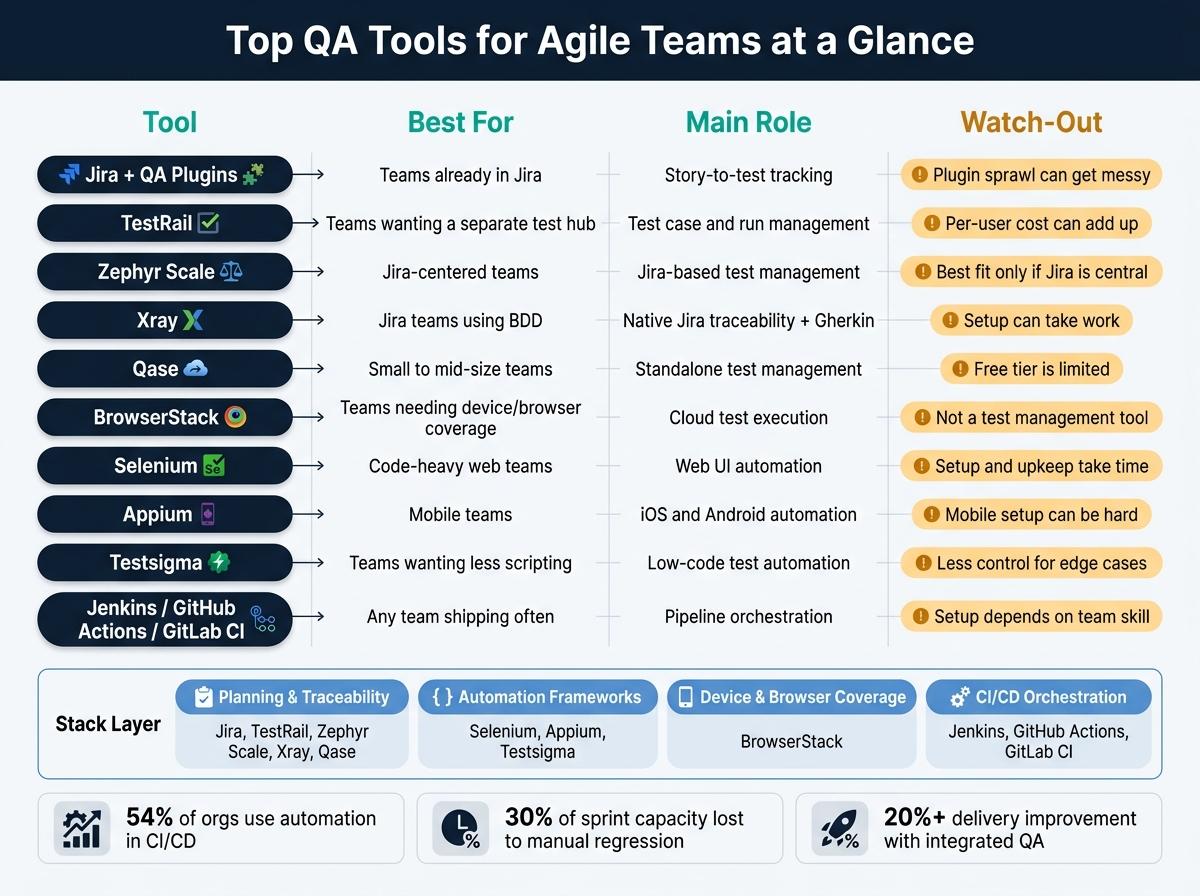
| Tool | Best for | Main role | Watch-out |
|---|---|---|---|
| Jira + QA Plugins | Teams already in Jira | Story-to-test tracking | Plugin sprawl can get messy |
| TestRail | Teams wanting a separate test hub | Test case and run management | Per-user cost can add up |
| Zephyr Scale | Jira-centered teams | Jira-based test management | Best fit only if Jira is central |
| Xray | Jira teams using BDD | Native Jira traceability and Gherkin support | Setup can take work |
| Qase | Small to mid-size teams | Standalone test management | Free tier is limited |
| BrowserStack | Teams needing device and browser coverage | Cloud test execution | Not a test management tool |
| Selenium | Code-heavy web teams | Web UI automation | Setup and upkeep take time |
| Appium | Mobile teams | iOS and Android automation | Mobile setup can be hard |
| Testsigma | Teams wanting less scripting | Low-code test automation | Less control for edge cases |
| Jenkins / GitHub Actions / GitLab CI | Any team shipping often | Pipeline orchestration | Setup depends on team skill |
Bottom line: I’d treat Agile QA as a stack. Use one layer for planning, one for automation, one for device/browser coverage, and one for CI/CD. That’s how teams keep feedback close to the sprint instead of finding problems at the end.
Why QA Tools Matter in Agile Delivery
Agile sprints move fast. That leaves very little room for long manual test passes, and every release brings new risk with it. In a 2-week sprint, 3 days of manual regression can eat up 30% of testing capacity - and that load gets heavier as the codebase grows. Faster release cycles also mean more chances for regressions unless testing can keep up.
That’s where QA tools come in. They remove the old trade-off by turning repetitive regression checks into automated suites that run fast and trigger on every commit, not just at the end of the sprint.
Automation works best when the whole team is looking at the same picture.
Shared quality ownership depends on shared visibility. In Agile teams, developers, QA engineers, and product owners all own quality together. QA tools make that possible by giving everyone one place to see results, defects, and coverage through dashboards, CI feedback, and story-to-test traceability. Without that shared view, quality can slip back into a handoff between teams.
Regression risk also stays high in Agile because the codebase keeps changing. These workflows hold up only when the right tools support them from start to finish. In practice, that often means tiered test suites:
- Smoke tests on every commit
- Core checks nightly
- Full regression before major releases
The World Quality Report 2022–23 found that Agile and DevOps teams with integrated quality practices saw more than 20% improvement across key outcomes, including better on-time delivery, lower cost of quality, and improved customer experience. But those gains don’t come from tools alone. They depend on picking tools that match the team’s sprint pace, automation depth, and day-to-day workflow.
What to Look for in Agile QA Tools
When quality work runs alongside the sprint, the next step is simple: pick tools that fit that pace.
Backlog integration is a must. Strong Agile QA tools link test cases, defects, and test runs straight to user stories and epics in your issue tracker. That connection matters more than it may seem at first. When a story moves to Done, test status should update on its own, and any backlog item with no test coverage should stand out before sprint review.
A 2023 State of Testing survey reported that automation is used in CI/CD by 54% of organizations. So QA tools should work well with pipeline triggers, pull in results from common test frameworks, and support quality gates that stop deployment when critical tests fail or coverage falls below a set threshold. Once those backlog and pipeline connections are working, the next thing to check is coverage across the product.
Coverage across web, mobile, and API testing is another key factor. Teams shipping across channels need one toolset for UI, mobile, and API testing. Why? Because Agile teams release in small chunks, and they need fast feedback from every layer - not just the front end.
Sprint dashboards should work like release-readiness tools. The best ones show test coverage by story, pass/fail trends during the sprint, and defect severity spread. That’s the data teams need for a go/no-go call. It also helps if you can filter dashboards by sprint, environment, or team, then export charts for stakeholder reviews. Those features help narrow the list before you start weighing one tool against another.
1. Jira Software with QA Plugins
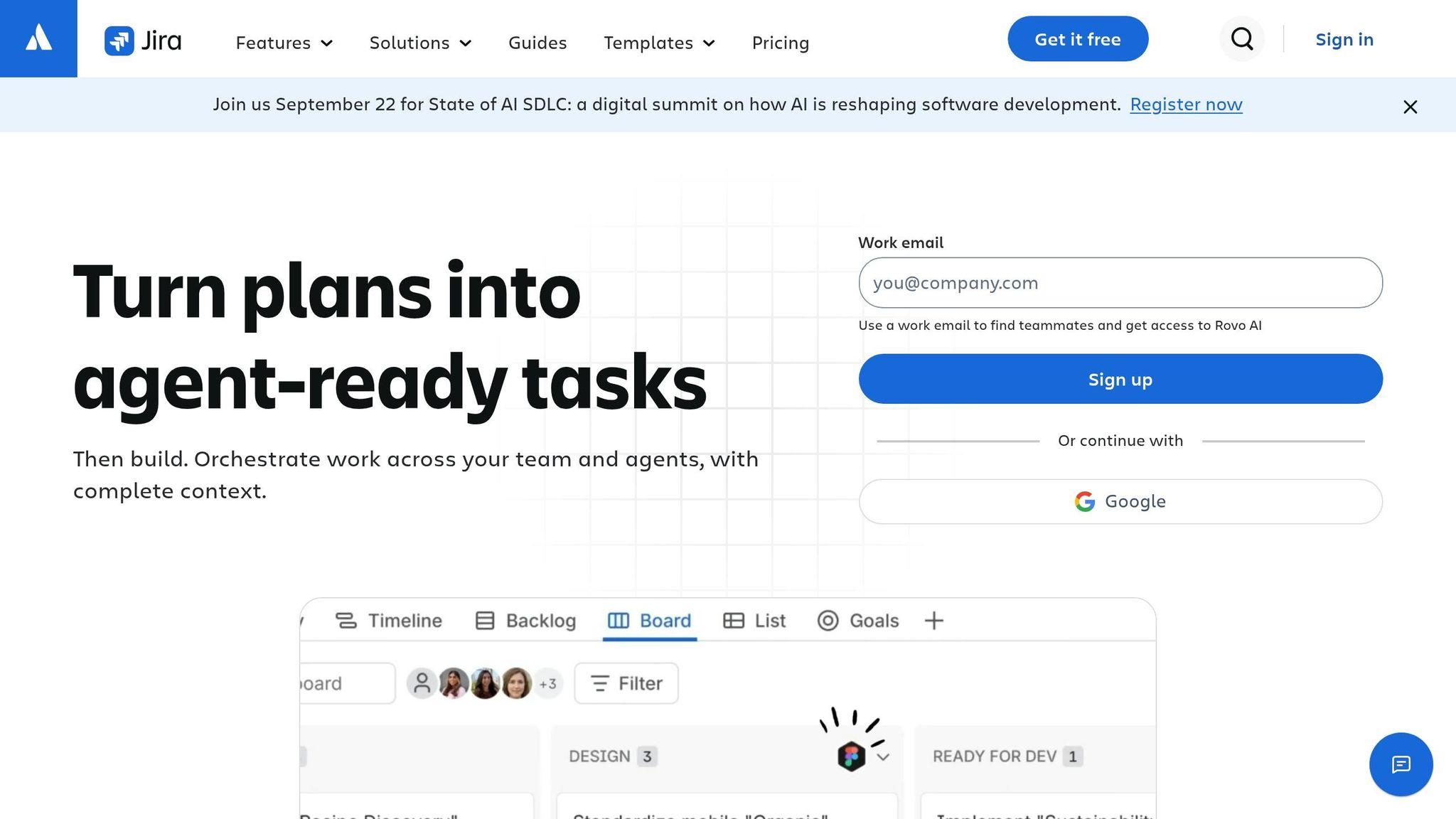
Jira Software turns into a test management hub when you pair it with QA plugins. Those plugins let teams create test cases and link them straight to user stories and epics, so each test maps back to a business requirement. QA teams can connect test cases to stories, track execution, and manage defects on the same board. If a test fails, the team can create a linked defect tied to the test, the build, and the story. That puts Jira at the center of test planning, test execution, and defect tracking.
This setup gets even more useful with CI/CD integration. Jira's releases panel can show linked deployments from Jenkins, GitHub Actions, and GitLab CI/CD. QA plugins can also expose APIs, which lets pipelines send pass/fail results, logs, and screenshots back into Jira after each run. If your team already runs builds through CI, that means test results stay attached to the work they validate.
For teams shipping across web, iOS, and Android, Jira-based QA workflows can use components or custom fields to tag test coverage by platform. That makes coverage gaps much easier to spot before release. Dashboards and filters can then show progress by platform or by status.
For teams that want deeper test case management, the next tools build on this Jira-based workflow.
2. TestRail
TestRail is a web-based test case management platform that helps teams organize tests, track execution, and report results in one place.
For Agile teams, that matters because TestRail lets you group test cases and test runs by sprint or release milestone. So QA work lines up with backlog items and release targets, instead of living off to the side. If your team needs clear ownership of testing work without losing sight of sprint progress, TestRail fits that job well.
It also connects with Jenkins, GitHub Actions, and GitLab CI through its API, plugins, and webhooks. In practice, teams often send automated test results from each build back into TestRail via API, where those results are linked to a specific test run or release milestone. That keeps manual and automated testing in the same place, which makes status checks a lot less messy. For teams that want tighter Jira-native traceability, the next tool goes deeper into that workflow.
TestRail also helps teams organize coverage by platform and device, so gaps are easier to spot before release. Its milestone reports pull together pass/fail rates, defect counts, and remaining tests. That gives QA leads and product owners a clear view when it's time to make go/no-go calls.
3. Zephyr Scale
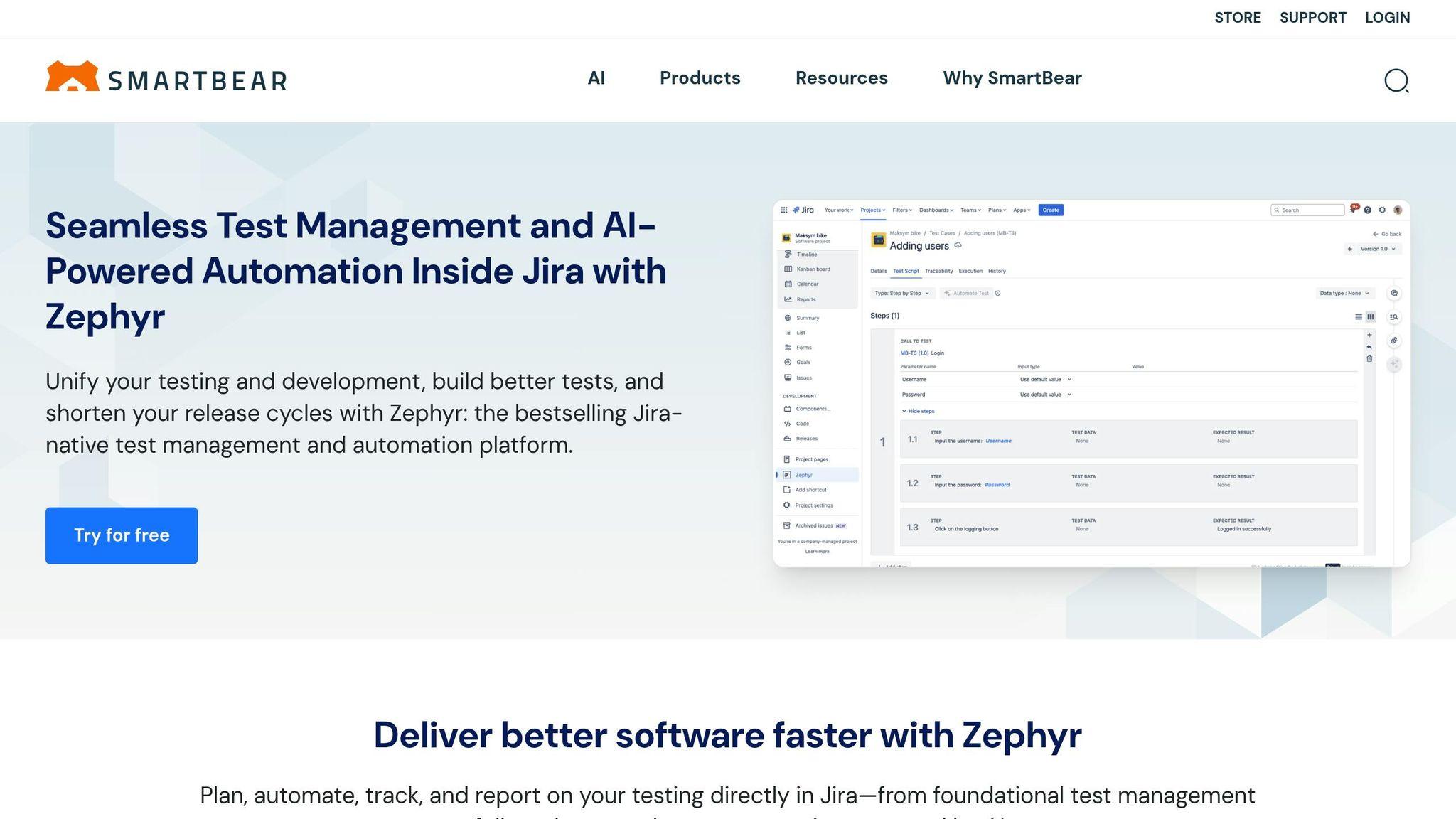
If your team wants test management inside Jira instead of a separate test repository, Zephyr Scale is a logical next move. For teams already living in Jira, that matters a lot. Test cases, test cycles, and defects sit in the same workspace as sprint boards and backlogs, so nobody has to bounce between tools.
You can link test cases straight to user stories and epics, which gives you a clear path from requirement to test to defect. When a test fails, you can trace it back to the story it covers and connect it to the defect. That kind of traceability helps during sprint reviews and makes release calls a lot less messy.
Zephyr Scale also works with Jenkins and Bamboo through its REST API, and it accepts results from Selenium, JUnit, NUnit, and Robot. In practice, teams often split test cycles into feature runs and regression runs, then have the CI pipeline push automated results into those cycles on its own. The big win is simple: automated and manual testing can live inside the same Jira workflow.
One thing to be clear on: Zephyr Scale manages test plans and results; it does not run tests. Teams usually pair it with Appium for iOS and Android and Selenium for web, then send results back through the API.
It also comes with 70+ reports, including Test Execution, Requirement Coverage, and Defect Traceability, and those can appear in Jira dashboards for release-readiness views. That helps teams move through sprint-level release decisions with less back-and-forth. Pricing follows Atlassian product user tiers, not just the people doing testing, so costs can climb as your Jira instance gets bigger.
4. Xray
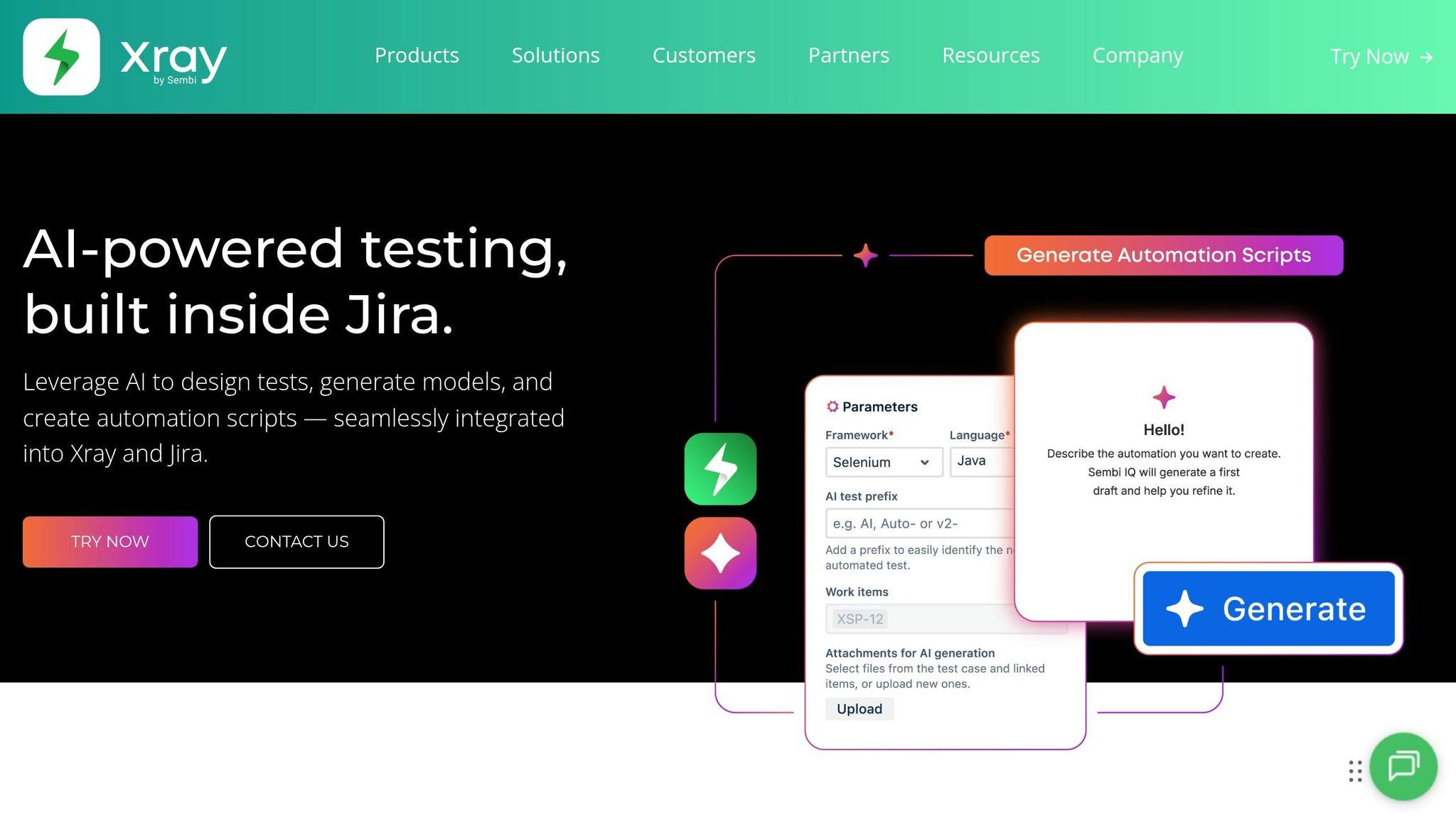
Xray pushes the Jira-first approach further. Unlike many test management tools, it works inside Jira. Test cases, test sets, test executions, and test plans show up as native Jira issue types, so they can live on sprint boards and follow the same workflows as stories and defects. That keeps test plans, executions, and defects tied to the same backlog items in Jira.
One of Xray’s biggest strengths is traceability. You can connect a requirement to its tests, link those tests to executions, and tie executions to any defects found along the way. For sprint reviews, that makes coverage checks much easier to read and much less of a scavenger hunt.
On the CI/CD side, Xray connects with Jenkins and other pipeline tools so automated test results can flow into Jira as Test Executions. If your team uses Selenium for web apps or Appium for mobile, pass/fail results can appear after each build. That puts continuous testing feedback right next to sprint progress. Xray also supports BDD with Cucumber/Gherkin, which gives product owners, developers, and testers a shared way to work on executable specs in Jira.
For release readiness, Xray includes dashboards and reports for requirement coverage, execution progress, and defect linkage. A Forrester TEI study put the three-year, risk-adjusted benefits at about $1.6 million. Xray comes in Standard, Advanced, and Enterprise editions. Higher tiers add AI-powered test case generation, prioritization, test case versioning, and dynamic test plans. And when teams need to run those tests at scale, the next tools focus on browsers, devices, and automation.
5. Qase
For teams that want test management without a Jira-native workflow, Qase is a lighter option. It keeps test cases, test runs, and results in one place, which helps fast-moving QA teams stay on top of regression, exploratory, and release testing.
Qase connects failing tests to defects and requirements across Jira, GitHub, GitLab, Asana, and Azure DevOps. Those two-way integrations keep traceability in place without forcing teams into a Jira-first setup.
On the CI/CD side, teams can add a CI reporter, trigger runs from the pipeline, and sync results back to Qase. The result is fast feedback after each build, without bouncing between tools.
Manual and automated results sit inside the same test structure. That shared setup helps teams keep browser, iOS, and Android checks in sync.
Qase also shows test run summaries, defect trends, and release dashboards, so QA leads and product owners can decide whether to ship, delay, or limit a rollout. That makes it a clean handoff into execution tools for browser and mobile testing.
Qase pricing starts at $0/user/month for the Free plan. The Teams plan starts at $35/user/month when billed annually or $42/user/month when billed monthly. Collaborators with view-and-comment access cost $10/user/month.
6. BrowserStack
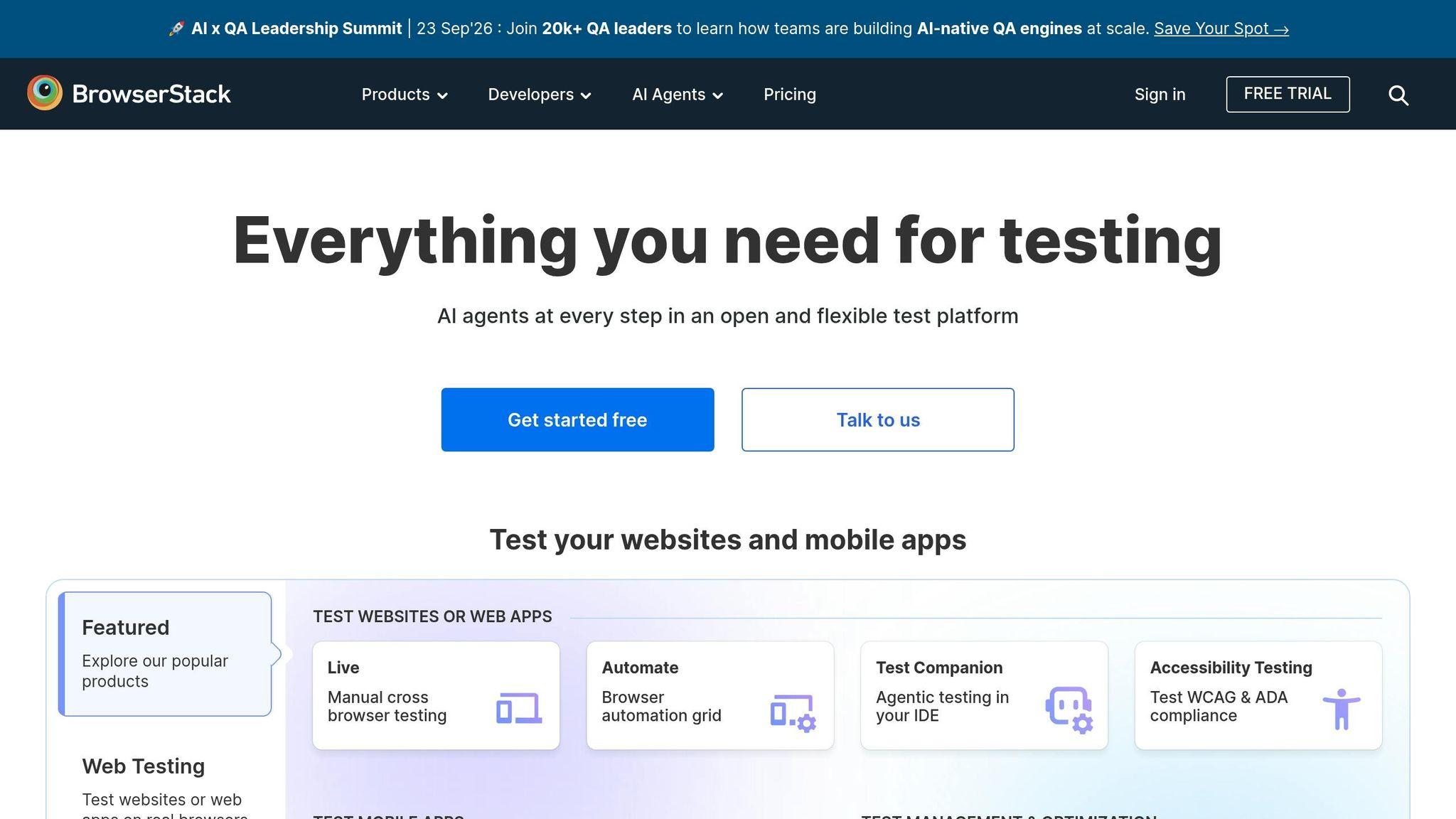
After test planning and tracking, BrowserStack is where execution happens across real browsers and devices. Agile teams get access to more than 3,000 real browsers and devices without building and maintaining an in-house lab.
That matters when sprint cycles are short. QA teams need to check features fast across the environments people actually use, not just emulators. There’s a big difference between “it worked in a simulator” and “it worked on the phone in someone’s hand.”
BrowserStack fits into CI/CD pipelines and can run tests on every push or pull request. If critical tests fail, it can fail the build right away. That puts problems in front of the team before they slip into staging.
If your team already uses Selenium or Playwright, those suites can run on BrowserStack’s cloud endpoints. It also supports parallel execution across many browser and device combinations, which helps teams move through test runs faster. On top of that, BrowserStack supports self-healing to cut down flaky failures when UI elements shift between sprints.
On the reporting side, dashboards pull together results across CI runs and make it easier to spot failure patterns, flaky tests, and regression trends over time. Build logs, screenshots, and video clips give QA leads and product owners direct go/no-go evidence.
For mobile and AI-powered app work, real-device testing is a big deal. It helps teams catch hardware- and OS-level issues that emulators often miss. AI-driven interfaces can also be checked after model or UI updates to catch layout and responsiveness issues early.
Teams that need the underlying automation framework can pair BrowserStack with Selenium. When they need browser-level code control, Selenium is the next step.
7. Selenium
Selenium is an open-source framework for web UI automation. It handles browser actions, while Selenium Grid or cloud services add support across browsers and operating systems. BrowserStack provides the place where tests run. Selenium provides the code that drives the browser. Put simply, it’s the code-level engine many teams use for web regression during sprint cycles.
In an Agile sprint, teams usually write Selenium tests right alongside feature work. QA engineers and SDETs turn acceptance criteria into tests, store them in the repo, and run them on every pull request.
Most teams keep the flow pretty simple:
- Run smoke tests on every commit
- Run broader regression suites nightly or before merge
- Connect execution to Jenkins, GitHub Actions, or GitLab CI
- Use Selenium Grid to run tests in parallel across browsers and operating systems
It also helps to pair Selenium with API checks for setup steps or backend validation. After that, teams publish results through JUnit or TestNG reports, often using Allure or ExtentReports to track trends and flaky tests. Those numbers help teams make sprint go/no-go calls. For mobile UI automation, teams follow the same pattern with Appium.
8. Appium
For mobile QA, Appium brings Selenium-style automation to iOS and Android. It’s an open-source framework that supports native, hybrid, and mobile web apps on both platforms through the W3C WebDriver protocol, using XCUITest for iOS and UiAutomator2 for Android.
One of Appium’s biggest strengths is reuse. Teams can keep most test logic across iOS and Android, with shared locators and a few capability changes. That matters a lot when tests need to run inside sprint pipelines and there’s no time to maintain two separate suites.
Appium also fits neatly into existing CI pipelines. Teams can build the app artifact - APK/AAB or IPA - run Appium suites with Maven, Gradle, npm, or pytest, and publish JUnit XML reports as build artifacts. From there, tools like Allure or ExtentReports help teams track pass rates, flaky tests, and sprint trends.
When connected to Jira, failed tests can automatically create or update defects with attached logs, screenshots, and videos. Teams can also set pipelines to block builds when critical Appium suites fail, which ties quality gates straight to the Agile Definition of Done.
For teams building AI-powered mobile apps, Appium can automate chatbot flows, voice prompts, permission dialogs, and offline edge cases. In plain terms, it helps teams check that real user flows still work on both platforms before a release goes out.
9. Testsigma
For teams that want less script upkeep than code-first frameworks often demand, Testsigma brings AI-assisted, natural-language automation across the stack. It supports web, mobile, and API testing, and its natural-language test creation helps QA and product teams line up on test cases during sprint planning.
Testsigma also syncs new sprints and stories from Jira on its own, connects each test case to the right backlog item, and logs failed runs back to Jira with screenshots, logs, and repro steps.
Once those tests are tied to stories, the next move is getting them into the pipeline. Testsigma plugs into major CI/CD pipelines, triggers test plans on each merge or build, and sends results back on its own. Tests can also run in parallel across real browsers and devices, which helps keep regression cycles short as suites get bigger.
Release calls get a lot simpler with Testsigma’s release-readiness score. It rolls pass rate (40%), coverage (25%), and confidence (35%) into one number. Results are then grouped as Ready at 80 or above, High Risk at 60–79, and Not Ready below 60.
For mobile and AI-powered apps, unified coverage across iOS, Android, web, and APIs cuts down on tool sprawl.
10. Jenkins, GitHub Actions, and GitLab CI
After test management, the next step is execution. Jenkins, GitHub Actions, and GitLab CI run automated tests on every build, enforce build gates, and publish results fast. In plain English, they turn sprint test plans into checks that run on their own.
Each tool suits a different team setup. Jenkins is a self-hosted CI server with a large plugin ecosystem, so it works well for enterprises that need flexible pipelines across many environments. GitHub Actions lives right inside GitHub repositories and can trigger checks on pull requests, branch merges, and tags. GitLab CI brings source control and CI/CD into one platform, which cuts down on context switching for distributed teams.
For QA teams, all three support layered pipelines. A common flow looks like this:
- Unit tests run first
- Integration tests run next
- End-to-end tests run last
That setup helps teams fail fast. If something breaks early, the full suite doesn't need to drag on. These tools also coordinate test stages across environments, which helps keep regression cycles tight as sprint scope grows.
Visibility matters too when it's time to make release calls. Jenkins shows stage-by-stage pipeline results and failure trends. GitHub Actions connects pass/fail status right to pull requests through branch protection and status checks. GitLab CI gives teams pipeline overviews and DORA metrics, which helps QA leads track pipeline health over time.
Use the table to match pipeline fit to team needs.
| Feature | Jenkins | GitHub Actions | GitLab CI |
|---|---|---|---|
| Primary strength | Flexible self-hosted pipelines with extensive plugin support | GitHub-native workflow checks tied to pull requests | Integrated source control and CI/CD in one platform |
| Mobile support | iOS and Android builds with dedicated agents | Pre-built actions for Android and iOS builds | Self-hosted or cloud runners for cross-device tests |
| Release visibility | Pipeline views and trend charts | Workflow run history and status checks | Pipeline overview, deployment history, and DORA metrics |
For mobile and AI apps, these tools can run build, test, and deployment steps in one pipeline.
Quick Comparison Table
Use this table to compare the 10 options at a glance.
| Tool | Primary Use | Best-Fit Team Type | Key Integrations | Mobile Support | Continuous Testing | Trade-offs | Pricing (from) |
|---|---|---|---|---|---|---|---|
| Jira Software + QA Plugins | Issue tracking with embedded test management | Mid-size to enterprise Agile teams already using Jira | Xray, Zephyr Scale, Jenkins, GitHub Actions | Indirect - via Appium or mobile-focused plugins | Test results from CI can be pushed back into Jira issues | Can get complex as plugins stack up | Varies by Jira plan; plugin costs add extra |
| TestRail | Centralized test case management and execution reporting | Established mid-size and enterprise QA teams | Jira, Selenium, Jenkins, GitHub Actions | Works with Appium results import; no built-in device lab | API-driven CI integration for automated results | Per-user pricing can add up | Starting at ~$35/user/month |
| Zephyr Scale | Jira-native test management with story-to-test traceability | Jira-centric Scrum and Kanban teams | Jira (native), CI/CD tools, automation frameworks | Works with Appium and cloud grids | CI hooks to import test results into Jira | Tightly coupled to Jira | Starting at ~$10/user/month |
| Xray | BDD-friendly test management with Gherkin support in Jira | Jira-centric Agile teams using BDD or structured test design | Jira (native), CI/CD tools, automation frameworks | Works with Appium and cloud grids | CI/CD hooks for automated test result imports | Requires Jira; BDD setup can add complexity | Starting at ~$6–$10/user/month |
| Qase | Modern test management with CI/CD connectivity | Small startups to mid-size product teams | Jira, GitHub, GitLab, Jenkins, Selenium, Playwright | Works with Appium and cloud grids | Posts CI run results back to Qase dashboards | Free plan limited to 3 users and 2 projects | Free; paid starting at ~$24/user/month |
| BrowserStack | Cloud-based cross-browser and real-device testing | High-velocity product and mobile-first teams | Jenkins, GitHub Actions, GitLab CI, Selenium, Appium | 3,000+ real devices and browsers | Runs parallel cross-browser/device tests on every CI build | Usage costs can scale quickly; not a test management tool | Contact sales |
| Selenium | Open-source browser UI and regression test automation | Engineering-heavy teams comfortable with code | Jenkins, GitHub Actions, GitLab CI, BrowserStack, TestRail | Indirect - mobile browsers only; use Appium for native apps | Runs inside CI pipelines as the automation layer | Needs significant setup and maintenance | Free (open-source) - infrastructure costs vary |
| Appium | Open-source automation for native, hybrid, and mobile web apps | Mobile-first teams and engineering-heavy Agile squads | BrowserStack, Jenkins, GitHub Actions, GitLab CI, TestRail | Built for iOS and Android - native, hybrid, and mobile web | Runs in CI pipelines alongside cloud device grids | Setup complexity | Free (open-source) - infrastructure costs vary |
| Testsigma | Low-code cloud test automation across web, mobile, and API | Mid-size teams wanting automation without heavy coding | Jenkins, CI/CD APIs, version control integrations | 2,000+ real mobile devices; 800+ browser/OS combinations | Built-in scheduling and CI integrations for automated runs | Less flexible than code-first frameworks for complex scenarios | Contact sales |
| Jenkins / GitHub Actions / GitLab CI | CI/CD engines orchestrating builds and automated test runs | Any team size, from startups to enterprise | GitHub, GitLab, Jira, TestRail, Selenium, Appium, BrowserStack | Runs mobile test suites via integrated frameworks and cloud grids | Core continuous testing infrastructure for event-driven and scheduled runs | Jenkins requires server management; others need workflow expertise | Free tiers available; infrastructure costs vary |
Three patterns stand out.
- Jira-native tools work well for planning and traceability.
- Standalone tools give you broader reporting.
- Cloud device labs and open-source frameworks make sense for execution, especially if your team writes a lot of code and wants to keep licensing costs low.
Next, see how these tools fit mobile and AI app projects.
Using These Tools in Mobile and AI App Projects
An Agile QA stack almost never leans on just one tool. It works more like layers, with each tool handling a different kind of test.
For iOS and Android apps, teams usually connect issue tracking, test management, Appium automation, real-device cloud testing, and CI/CD into one setup. Appium scripts run across many iPhone and Android models on a real-device cloud, so teams can cover different OS versions without keeping a room full of phones on hand. GitHub Actions or Jenkins then pulls the whole process together, kicking off test runs on every pull request before anything gets merged.
Web testing follows that same pattern, but the main focus shifts to browser coverage. Selenium sits at the center of the automation layer, checking responsive layouts, form behavior, and cross-browser compatibility across Chrome, Firefox, Safari, and Edge. CI/CD pipelines can also run tests with U.S. locale data, including MM/DD/YYYY date formats, $ currency values, and imperial units, so staging matches how U.S. users will see the product before release.
AI apps add another layer on top of UI and API testing. Teams use API-level tests to validate model endpoints, regression suites to compare new model outputs against set baselines, and adversarial tests with edge-case inputs to catch odd behavior. Put simply, AI apps need API checks, regression suites, and output-comparison tests to spot drift and unexpected behavior before those issues show up in production. These AI-focused tests run inside the same Jenkins or GitHub Actions pipelines used for mobile and web, which keeps everything in one system.
The best way to avoid doing the same work twice across platforms is to build test suites around shared business flows, such as:
- Account creation
- Search
- Recommendations
- Checkout
From there, teams add platform-specific variants. Appium covers iOS and Android UI, Selenium covers web, and API tests cover the AI backend. One CI/CD pipeline and one Jira view keep results in one place, so mobile, web, and AI testing stay lined up in a single workflow.
Appeneure uses the same layered QA approach across mobile, web, and AI app projects.
Conclusion
The best QA stack is the one that fits your workflow and works cleanly across planning, execution, and reporting. There’s no one-size-fits-all setup for Agile QA. The right mix depends on your app, your team size, and how often you ship.
When tools connect well, teams spend less time on handoffs and more time keeping quality in view during every sprint. That’s the point in Agile: not more tools, but faster feedback with less friction.
Before you standardize your stack, look at three things:
- How well the tools fit your current workflow
- Whether they can handle growth
- How much upkeep they’ll need over time
Then choose the set that works for your team now and can grow with you, without boxing you into a painful switch later.
FAQs
How do I choose the right QA stack for my Agile team?
Start with early testing. It helps you catch issues before they turn into bigger, more expensive problems later.
A smart approach is to balance automation for repetitive checks with manual, user-focused testing. Automation handles the routine work well. Manual testing helps you see how the app feels in actual use, which is something scripts often miss.
Use version control like Git from the start so your team can track changes, work in parallel, and roll back when needed. Pick IDEs that match your platform and workflow, whether you're building for iOS, Android, or both.
Run tests throughout development, not just at the end. You can do that with:
- Cloud testing tools
- Emulators
- Physical devices
That mix gives you a better view of how the app behaves across different setups.
It also helps to build in crash reporting, error management, and performance monitoring early. If something breaks, slows down, or fails under load, you want to know fast. The same goes for usability testing and analytics. One tells you how people use the product. The other shows where they struggle, drop off, or get stuck.
You can also use AI-powered support to help with backlog management, dependency tracking, and risk assessment. That won't replace human judgment, but it can cut down on busywork and make planning a lot less messy.
When should we use low-code instead of code-first automation?
It comes down to three things: your team size, how complex the project is, and how much room you need as things grow.
Low-code is a good fit for smaller teams, or for teams that want something easy to use and fast to iterate on. It helps you move without getting buried in setup and code.
Code-first automation makes more sense for medium to large teams and enterprise projects. It gives you more control over customization, stronger version control and CI/CD integration, and better support for complex workflows as the application grows.
Do we need real devices, or are browser tests enough?
Real devices matter in mobile app development. Browser tests help, but they don’t tell the whole story. Mobile apps also need checks for stability, performance, and device-level interactions.
When you test on real devices across different operating systems and network conditions, you’re more likely to catch device-specific problems. That includes issues tied to screen resolution, OS version, and hardware performance.
More from the studio

