
All blogs
AI App Development
Apple Developer Agreement: Dispute Resolution
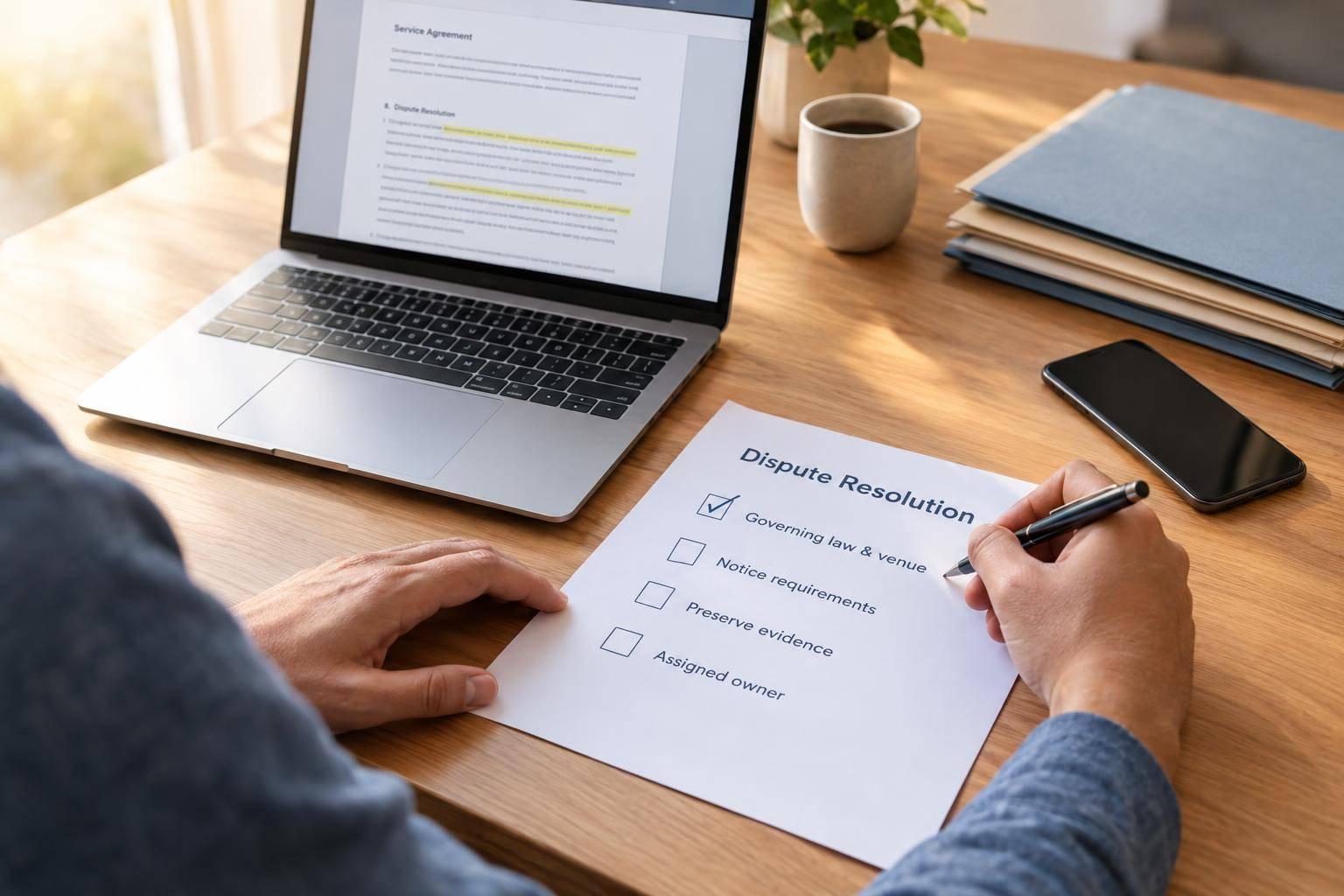
Checklist for Apple developer disputes: confirm governing law and venue, follow notice rules, preserve evidence, and assign a human owner.
5 min read
Apple Developer Agreement: Dispute Resolution
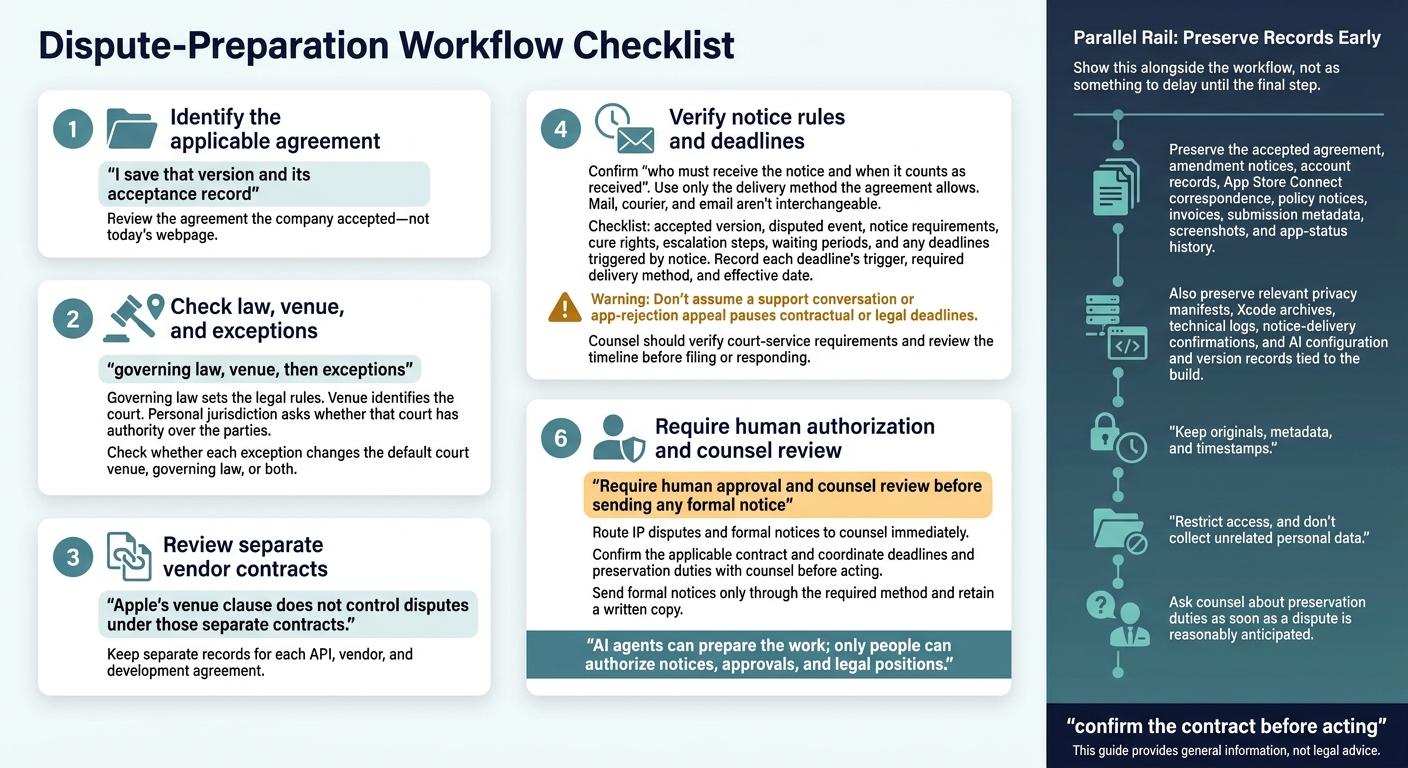
I start with the Apple agreement my company accepted - not today’s webpage. I save that version and its acceptance record, then check 3 things: governing law, court venue, and exceptions.
Before taking action, I also:
- Verify notice rules and deadlines. I don’t assume a support ticket or app appeal pauses the clock.
- Preserve dispute records. I keep agreement copies, Apple messages, build records, and proof of notice delivery.
- Check AI vendor contracts separately. Apple’s venue terms don’t decide disputes under those contracts.
- Assign a human owner. I use AI to help prepare records, but require people to approve formal notices and legal positions, with counsel’s review.
My rule: <u>confirm the contract before acting</u>. This guide provides general information, not legal advice.
Understand Governing Law, Venue, and Exceptions
Once you’ve identified the accepted version, read the dispute clause in this order: governing law, venue, then exceptions.
Distinguish Governing Law From Court Venue
Governing law sets the legal rules. Venue identifies the court. Personal jurisdiction asks whether that court has authority over the parties. Check the accepted version of Apple’s Developer Program License Agreement for its governing-law and venue terms.
Compare the General Rule With Its Exceptions
Check whether each exception changes the default court venue, governing law, or both. If your AI app uses third-party AI services or an outside development partner, review that separate contract’s governing law and court venue next.
Understand What the Venue Clause Does Not Decide
Apple’s venue clause does not control disputes under those separate contracts. Keep separate records for each API, vendor, and development agreement.
After identifying the governing law and venue, check the notice deadline and delivery method.
sbb-itb-622dc24
Follow Notice Rules and Preserve Evidence
Confirm Notice Recipients and Delivery Methods
Once you’ve identified the governing law and venue, check the notice clause. Confirm who must receive the notice and when it counts as received. Use only the delivery method the agreement allows. Mail, courier, and email aren’t interchangeable. Keep the notice, attachments, and proof of delivery.
Support messages can document troubleshooting or rejection appeals, but they usually don’t meet contractual notice or court-service rules. Before sending or responding to court papers, have counsel verify the court-service requirements.
Check Deadlines Before Taking Action
Next, map every deadline tied to the notice clause. Build a checklist covering the accepted version, disputed event, notice requirements, cure rights, escalation steps, waiting periods, and any deadlines triggered by notice. Record each deadline’s trigger, required delivery method, and effective date.
Don’t assume a support conversation or app-rejection appeal pauses contractual or legal deadlines. Ask counsel to review the timeline before you file or respond.
Preserve Your Dispute Records
Save the paper trail before records change or disappear. Keep the accepted agreement, amendment notices, account records, App Store Connect correspondence, policy notices, invoices, submission metadata, screenshots, and app-status history.
Also preserve relevant privacy manifests, Xcode archives, technical logs, and notice-delivery confirmations. For AI disputes, keep the configuration and version records tied to the build in question.
Keep originals, metadata, and timestamps. Restrict access, and don’t collect unrelated personal data. Ask counsel about preservation duties as soon as a dispute is reasonably anticipated.
Prepare Your AI-App Team for Disputes
Assign Agreement Ownership and Track AI Dependencies
After preserving the record, assign one owner to keep dispute steps on track. Have that person monitor amendments, approvals, deadlines, and the internal owner responsible for each change. They should also map which AI tools, APIs, and vendors each release uses.
For AI apps, dispute control is part of the build-and-release process, not just a legal task. Identify who owns or controls the developer account, code, hosting, domains, and third-party services. Link each release to its services, third-party and API licenses, and approvals.
Keep Human Approvals and Company-Controlled Records
Keep company-controlled records that connect each release to its approver and the exact third-party services used. Identify who can approve responses to Apple. Require human approval and counsel review before sending any formal notice, and route IP disputes and formal notices to counsel immediately. Send formal notices only through the method required by the agreement, and retain a written copy.
Before anyone acts, have the agreement owner confirm which contract applies and coordinate deadlines and record-preservation duties with counsel. AI agents can prepare the work; only people can authorize notices, approvals, and legal positions.
FAQs
How do I find the Apple agreement my company accepted?
Sign in to your Apple Developer account on the official Apple Developer website or through App Store Connect. You can typically view and download the current Apple Developer Program License Agreement in the Agreements, Tax, and Banking section.
Your company’s account holder or administrator may need to open this section to access the full documentation and history of accepted agreements.
How can I tell if a venue exception applies to my company?
Review the dispute resolution section of the Apple Developer Program License Agreement that governs your account. Exceptions to venue requirements are generally narrow. They typically apply to government entities or educational institutions that are legally barred from agreeing to a specific jurisdiction or governing law.
Check whether your organization meets the agreement’s stated requirements. If you have questions about legal compliance or App Store terms, consult your own legal counsel.
Which contract applies if my AI vendor caused the dispute?
Your signed service agreement with the AI vendor governs the dispute. For Appeneure work, your specific project contract applies and is subject to Indian law. Follow the dispute resolution process in your Appeneure terms to address service delivery or vendor performance issues.
You must still comply with Apple’s Developer Program License Agreement for your app’s presence in the store. But that agreement does not govern disputes with third-party software development partners.
More from the studio

