
All blogs
Mobile App Development
App Store PPP Pricing: Regional Launch Checklist
Launch regional App Store prices safely: set storefront rates, verify taxes/proceeds, test StoreKit and subscription consent.
8 min read
App Store PPP Pricing: Regional Launch Checklist
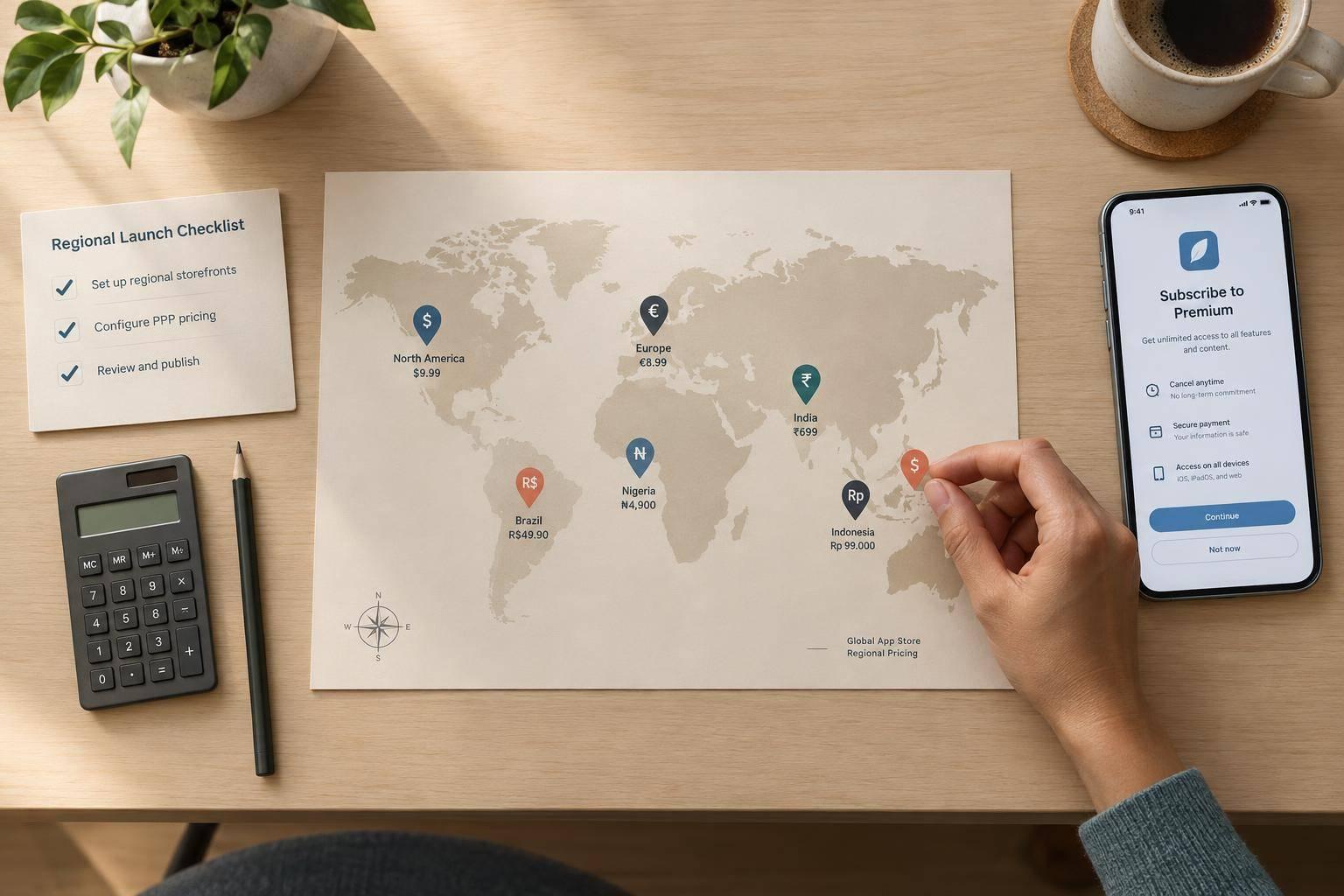
I treat App Store purchasing-power pricing as a policy - not a currency conversion. Before launch, I set prices by storefront, check proceeds after taxes and Apple’s commission, and require human approval before any price goes live.
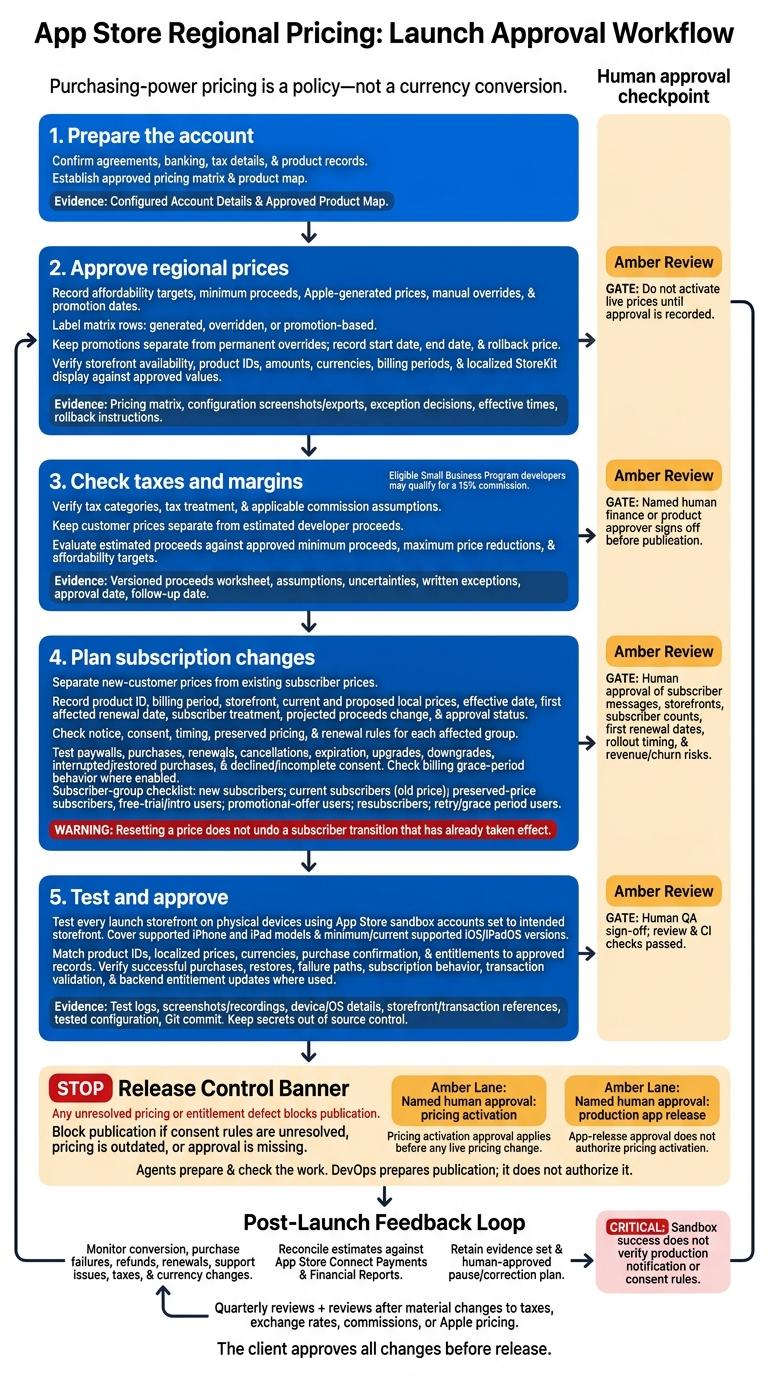
My checklist covers five steps:
- Prepare the account: Confirm agreements, banking, tax details, and product records.
- Approve regional prices: Record affordability targets, minimum proceeds, Apple-generated prices, manual overrides, and promotion dates.
- Check taxes and margins: Verify tax categories and commission rates. Eligible Small Business Program developers may qualify for a 15% commission.
- Plan subscription changes: Separate new-customer prices from existing subscriber prices, then check notice, consent, and renewal rules.
- Test and approve: Check localized StoreKit prices, purchases, restores, and subscription behavior on physical devices for every launch storefront.
My rule: <u>no publication with unresolved pricing or entitlement defects</u>. Agents prepare and check the work; named humans approve pricing activation and app release. After launch, I review results, reconcile proceeds, and keep a correction plan ready - because a passed sandbox test does not confirm production consent behavior.
Storefront Pricing Checklist
Use the approved pricing matrix to set storefront-specific prices and overrides.
Choose Storefront Price Points
PM agent: Start with the approved base region and compare Apple-generated prices against the matrix. Keep generated prices that meet policy and margin limits. Flag storefronts that need permanent overrides. Check available price points and price update rules for each product type - subscriptions may work differently from one-time purchases. Label every row as generated, overridden, or promotion-based.
Keep promotions separate from permanent overrides. Record each promotion’s start date, end date, and rollback price. Link configuration screenshots or exports to the matching matrix rows. Set review dates for prices Apple may adjust automatically.
Once prices are set, check that StoreKit displays them correctly.
Show Localized StoreKit Prices
Builder agent: Get product metadata from StoreKit and display Product.displayPrice. Use Product.price for calculations and priceFormatStyle to format derived amounts for the locale. Don’t infer eligibility from device language, IP address, or an in-app currency selector. Use StoreKit availability and explicitly handle unavailable products.
Reviewer agent: Compare runtime product IDs, amounts, currencies, and billing periods against App Store Connect and the approved matrix. Check symbol placement, separators, spacing, fractional digits, field order, and truncation. Test every storefront included at launch, covering manual price overrides and different currency conventions. Save screenshots, storefront identifiers, and test dates.
Pass/Fail Gate: Storefront Prices
Pass only when the matrix is complete, intended storefronts are enabled, and both configured and runtime prices match approved values with correct local formatting. Missing products, unexplained differences, unclear schedules, or undocumented exceptions fail the gate.
PM agent: Attach exception decisions, effective times, rollback instructions, and human approval for every App Store Connect pricing change. Do not activate live prices until approval is recorded. After activation, recheck product metadata and paywalls.
After approval, move to tax and proceeds checks before release.
sbb-itb-622dc24
Tax and Developer Proceeds Checklist
Once storefront prices are set, check how much each regional price leaves you after tax and commission. This is the last commercial check before release.
Check Tax Categories and Estimated Proceeds
PM agent: Record each storefront’s country or region, currency, product identifier, customer price, tax-inclusive status, and tax category. Include estimated tax handling, commission rate, deductions, estimated developer proceeds, exchange rate, effective date, and any assumptions or unresolved tax details. Use the worksheet to model net proceeds after tax and commission.
Reviewer agent: Verify the app’s tax category in App Store Connect. Check whether any In-App Purchase needs its own product-specific category instead of the app’s default. Document the applicable tax type and whether Apple collects and remits it.
Use the signed agreement and confirmed program status - don’t assume a single commission rate. Eligible developers in Apple’s Small Business Program may qualify for a 15% commission rate. Refer unclear product classifications or tax obligations to a qualified human finance or tax adviser.
Set Margin Limits and Review Dates
Human product owner or finance approver: Set minimum estimated proceeds, maximum price reductions, and affordability targets before approval. Have agents calculate expected proceeds for each regional price and flag any price that falls outside those limits. The PM agent should schedule quarterly reviews, plus reviews after material changes to taxes, exchange rates, commissions, or Apple pricing.
QA agent: Compare the purchase flow’s price, currency, and product ID against the approved worksheet. Flag any differences, but don’t treat an on-device receipt as a full tax record. After launch, reconcile estimates against App Store Connect’s Payments and Financial Reports, including adjustments and applied exchange rates.
Pass/Fail Gate: Taxes and Proceeds
Pass only when tax categories, tax treatment, and commission assumptions are verified. Record customer prices separately from estimated proceeds, and identify markets where tax treatment remains unresolved.
Every price must meet the approved commercial limits or have a written exception explaining the commercial impact. The PM agent must retain the worksheet version, uncertainties, exception decisions, approval date, and follow-up date. Block publication until a named human finance or product approver signs off.
Use the approved proceeds worksheet for subscription price-change checks.
Subscription Price-Change Checklist
Plan Prices for New and Existing Subscribers
Record subscription price changes separately: new and existing subscribers may receive different treatment. Before testing, enter each change in the approved proceeds worksheet.
PM agent: Create a change record for each product, billing period, and storefront. Include the product ID, current and proposed local prices, effective date, first affected renewal date, subscriber treatment, projected proceeds change, and approval status. Mark each change as a decrease, increase, introductory or promotional offer, or temporary adjustment. Specify whether existing subscribers keep their price, including subscribers already on a preserved price. Resetting a price does not undo a subscriber transition that has already taken effect.
Reviewer agent: Before scheduling, check Apple’s current notice, consent, and timing rules for each storefront. Review each group separately: new subscribers, current subscribers at the old price, subscribers on a preserved price, free-trial and introductory users, promotional-offer users, resubscribers, and users in retry or grace period. Introductory and promotional subscribers may need one more renewal at the displayed price before an increase takes effect. If required consent is missing, the subscription can expire at the end of its current billing cycle.
Use the change record to guide paywall, consent, and renewal tests.
Test Paywalls and Subscription Changes
Builder agent: Update paywalls, entitlement handling, disclosures, and analytics.
Reviewer agent: Check code and configuration. Make sure localized StoreKit prices, billing periods, trial lengths, introductory terms, and renewal prices match throughout the purchase flow and subscriber messages. Check subscription-management links and remove outdated price comparisons. Don’t promise preserved pricing to subscribers who aren’t eligible.
QA agent: Use StoreKit Testing to test client behavior and Sandbox Apple Accounts to test server-side handling. For each subscriber group above, test purchases, renewals, cancellations, expiration, upgrades, downgrades, interrupted and restored purchases, and declined or incomplete consent.
If Billing Grace Period is enabled, verify that eligible users keep access without interruption, payment-update messages explain what to do, and entitlements recover after payment succeeds. Document accelerated sandbox timing and limits separately from production timing and notification behavior. Sandbox success does not verify production notification or consent rules.
Record every failed notice, consent, or renewal path before approval.
Pass/Fail Gate: Subscription Changes
Pass only when every storefront, billing period, subscriber group, and consent path is approved for release. Prices must be approved, subscriber treatment documented, notices, consent, and disclosures verified, and transition tests passed.
PM agent: Keep test evidence and rollback or pause criteria. Don’t assume a price reset will undo the change. A named human approver must sign off on subscriber messages, affected storefronts, subscriber counts, first renewal dates, rollout timing, and revenue and churn risks.
Block publication if consent rules are unresolved, pricing is outdated, or approval is missing.
On-Device Testing and Release Checklist
Test Regional Purchases on Physical Devices
After pricing approval, check the same storefronts on physical devices. QA agent: Use StoreKit Testing to check configurations, then repeat key flows on physical devices with App Store sandbox accounts. Human testers must check every launch storefront on supported iPhone and iPad models, covering both the minimum and current supported iOS or iPadOS versions.
Set sandbox accounts to the intended storefronts - don’t rely on the tester’s physical location. Check product IDs, localized metadata, displayed prices, currencies, and purchase confirmation against the approved pricing record.
Record successful purchases and restores, declined or failed transactions, cancellations, and offline interruptions. For subscriptions, record renewal, expiration, billing retry, grace-period behavior, and access after cancellation. Confirm signed-transaction validation and backend entitlement updates where used, including duplicate delivery and revoked access.
Keep the evidence in the client repo and account records: the approved pricing matrix, product map, test logs, screenshots or recordings, device and OS details, sandbox account IDs, transaction references, tested StoreKit configuration, and Git commit. Keep secrets out of source control.
Move to release approval only when device results match the approved matrix. Human QA sign-off is the last validation before publication.
Pass/Fail Gate: Human Approval to Publish
Pass only when every target storefront has a successful sandbox purchase, physical-device prices and currencies match, entitlement and subscription tests pass, review and CI checks pass, and human QA has signed off. Confirm that results also match the approved tax and proceeds records.
Track changes through issues, pull requests, and CI checks for hard-coded prices and incorrect product mappings. Any unresolved pricing or entitlement defect blocks publication.
DevOps prepares publication; it does not authorize it. Require separate named human approvals for pricing activation and any production app release. Keep approval controls in the client’s accounts. Record the activation date, time, time zone, monitoring owner, alert thresholds, and a human-approved pause or correction plan.
Conclusion: Review Pricing After Launch
After launch, retain the same evidence set for review and rollback. Keep approved prices, tax and proceeds records, subscriber plans, device results, and PM, Builder, Reviewer, QA, and DevOps evidence with the launch record.
Schedule reviews of storefront conversion, purchase failures, refunds, renewals, support issues, taxes, and currency changes. The client approves all changes before release.
FAQs
How do I balance regional affordability with profit margins?
Review local income levels and market data to set pricing tiers that match regional purchasing power and meet your profit goals. AI can help by analyzing sales, user engagement, and market trends to guide pricing decisions.
Keep people involved to check that prices treat customers fairly and prevent algorithmic bias. Test pricing through controlled regional pilots before a full rollout, and follow App Store guidelines for currency conversion and storefront pricing tiers.
What happens if a subscriber changes storefronts?
Subscription status depends on the policies managed in App Store Connect. Subscriptions are generally linked to the Apple ID and storefront used for the original purchase. If subscribers change regions or storefronts, they may need to cancel their existing subscription before starting a new one in the new storefront.
Your app should validate the receipt status and clearly explain whether the subscriber has an active subscription during the transition.
How should I verify subscription consent after launch?
Make sure the purchase flow clearly shows the subscription price, duration, renewal terms, trial length, and post-trial price before users buy. Keep links to the Terms of Use and Privacy Policy easy to find in both the app and App Store metadata.
Validate receipts on the server. Use StoreKit 2 for iOS and Google Play Billing Library for Android, along with server notifications to track renewals, cancellations, and payment failures. Keep checking that disclosures and metadata match how the app currently works.
More from the studio

