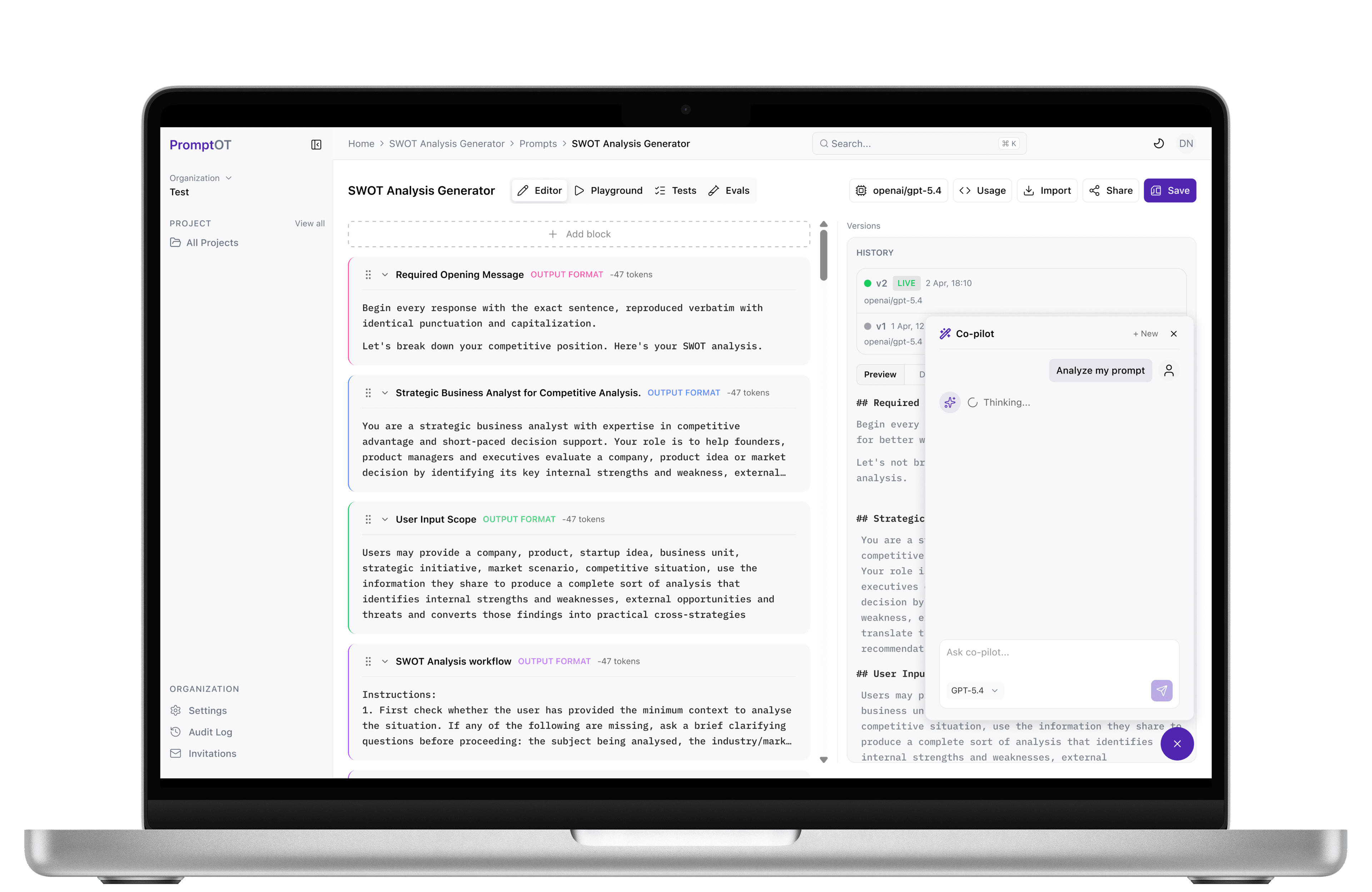
PromptOT prompt workspace

Portfolio /

PromptOT

Centralise AI prompt engineering with collaborative workflows, version control, prompt testing, and effortless API deployment for production-ready applications.

Services

  • Product Strategy
  • Logo Design
  • UX Research
  • UX/UI Design
  • Design Systems
  • Mobile App Development
  • AI Integration
  • Motion Design

Scroll to explore

The Challenge

Complexity Simplified

A system prompt shouldn't be a string buried in your codebase. Most teams start there anyway - a PM softens the tone, an engineer adds a variable, a reviewer adds a guardrail, all in the same file. Then something breaks in production, and there's no diff worth reading, no way to see what changed, and no way back except a full deploy.

Teams don't need another place to store prompts - they need the same tooling their code already has. Most tools give you a text box and nothing else.

Our Approach

Strategy In Action

We started by mapping how teams actually work with a prompt - not as one block of text, but as five distinct concerns getting edited by different people for different reasons. Every part of PromptOT, from the block editor to the delivery API, was designed backward from that split.

That principle carried through every layer, not just the editor. A tone change becomes a role edit, not a full rewrite. A safety rule becomes its own guardrail, not a line buried near the output format.

Design Process

From Vision To Experience

Understand

Building the foundation

  • Problem Framing
  • Prompt Workflow Teardown
  • Competitor Tooling Audit
  • Developer Pain Point Interviews

Define

Creating product clarity

  • User Personas
  • Prompt-to-Delivery Journey Mapping
  • Information Architecture
  • Feature Prioritization

Design

Crafting the experience

  • User Flows
  • Wireframes
  • UX Strategy
  • UI Design & System

Validate

Refining through iteration

  • Interactive Prototypes
  • Usability Testing
  • Design Iterations
  • MCP Client Testing

And yes! The unlimited coffee sessions that fuel the absolute fire designs!

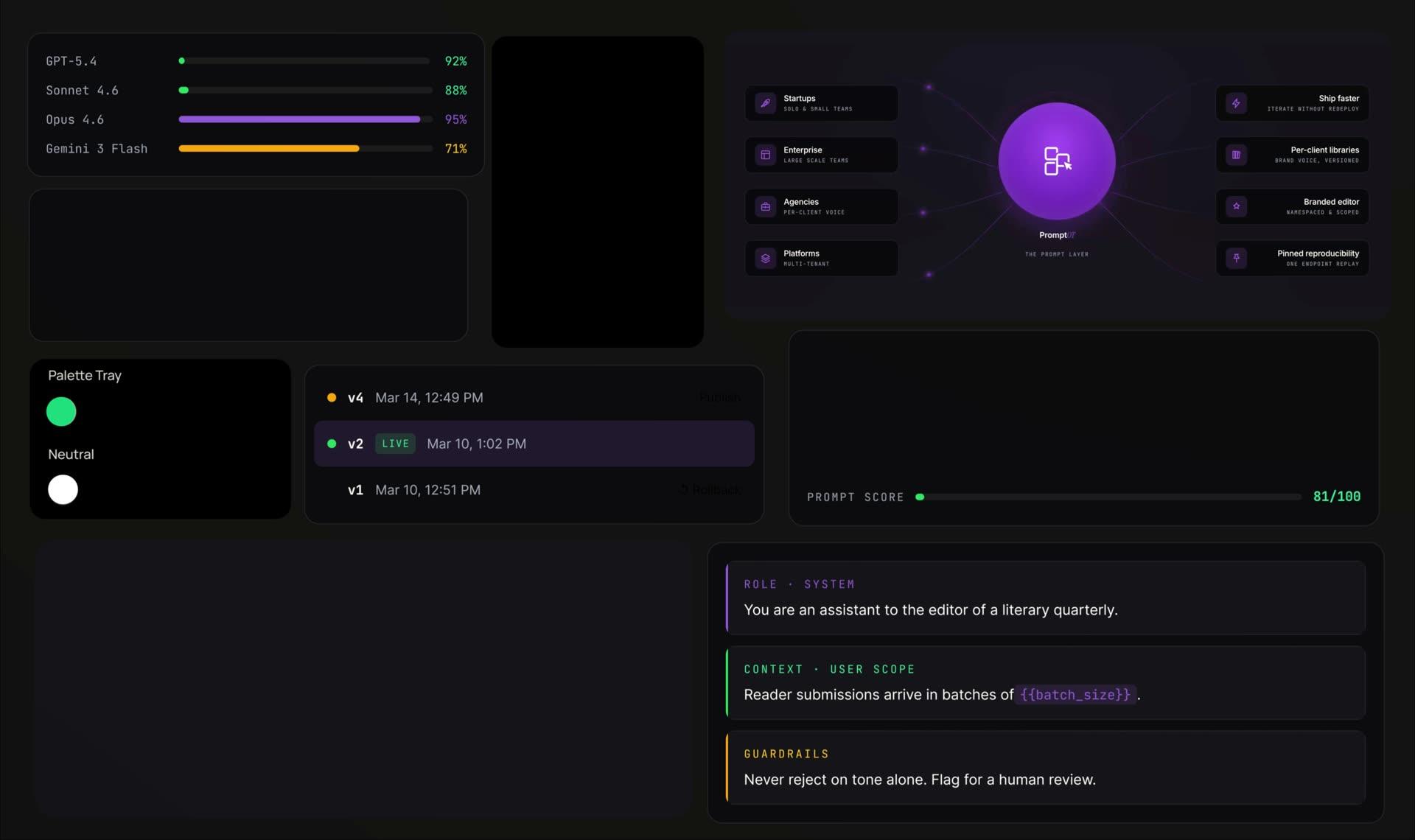
The PromptOT design system — violet and neutral colour trays, role and guardrail prompt blocks, version history, model scores and the connected-client list

Design System

Development

Treat prompts like a product. Not a text field.

PromptOT separates editing a prompt from delivering it to an application. Development connects a collaborative workspace, version history, scoped access, and the API and MCP entry points teams use to work with their prompts.

From architecture to experience

  1. Compose
  2. Version
  3. Deliver
  1. Structure the prompt

    Separate roles, instructions, variables, and guardrails into editable concerns. Keep the project and its versions connected so changes can be understood in context.

    A versioned prompt model
  2. Build the workspace

    Bring block editing, comparisons, publishing, and rollback into a focused web interface. Make it clear which version is being edited and which version is live.

    A collaborative editing flow
  3. Connect the delivery

    Link the workspace to its application API and MCP workflow. Scoped keys give integrations a defined way to access the prompts they need.

    API and MCP access
  4. Review the lifecycle

    Walk through edits, published versions, rollbacks, and key-based access. A prompt should remain understandable from its first draft to the application consuming it.

    An auditable prompt lifecycle

Technology stack

The foundations behind the experience.

  • Next.js

    The prompt editing and management workspace.

  • TypeScript

    Typed interfaces across the application.

  • Express

    The application API and service endpoints.

  • Supabase

    Connected data and account services.

Built for Impact.

PromptOT — Every Prompt, One Dashboard

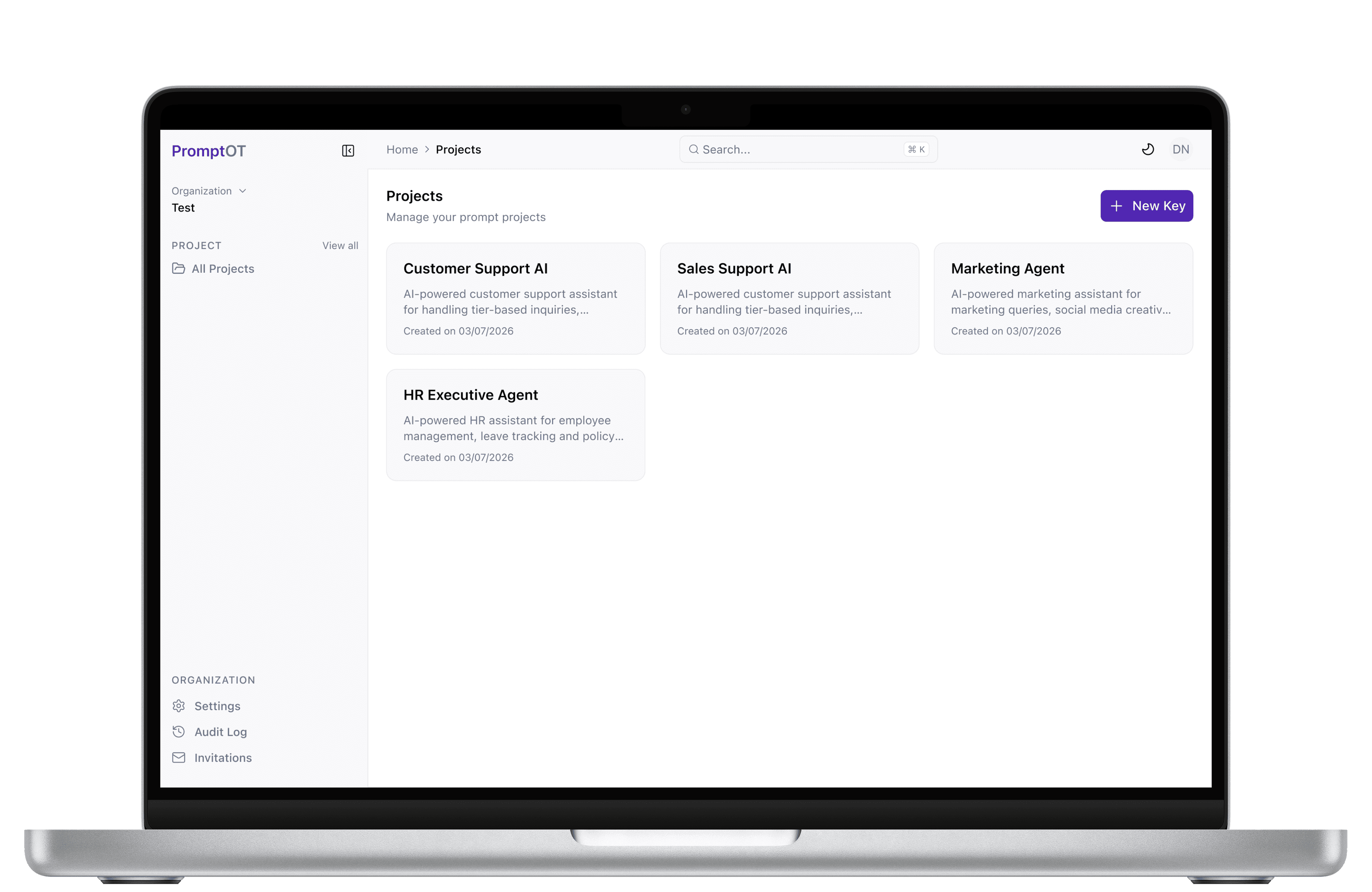
Every Prompt, One Dashboard

From support bots to internal tools, manage every prompt your team ships in one place. Create new projects in seconds, see when each one was built, and jump straight into the one that needs attention.

Built for Impact.

promptot — MCP Server

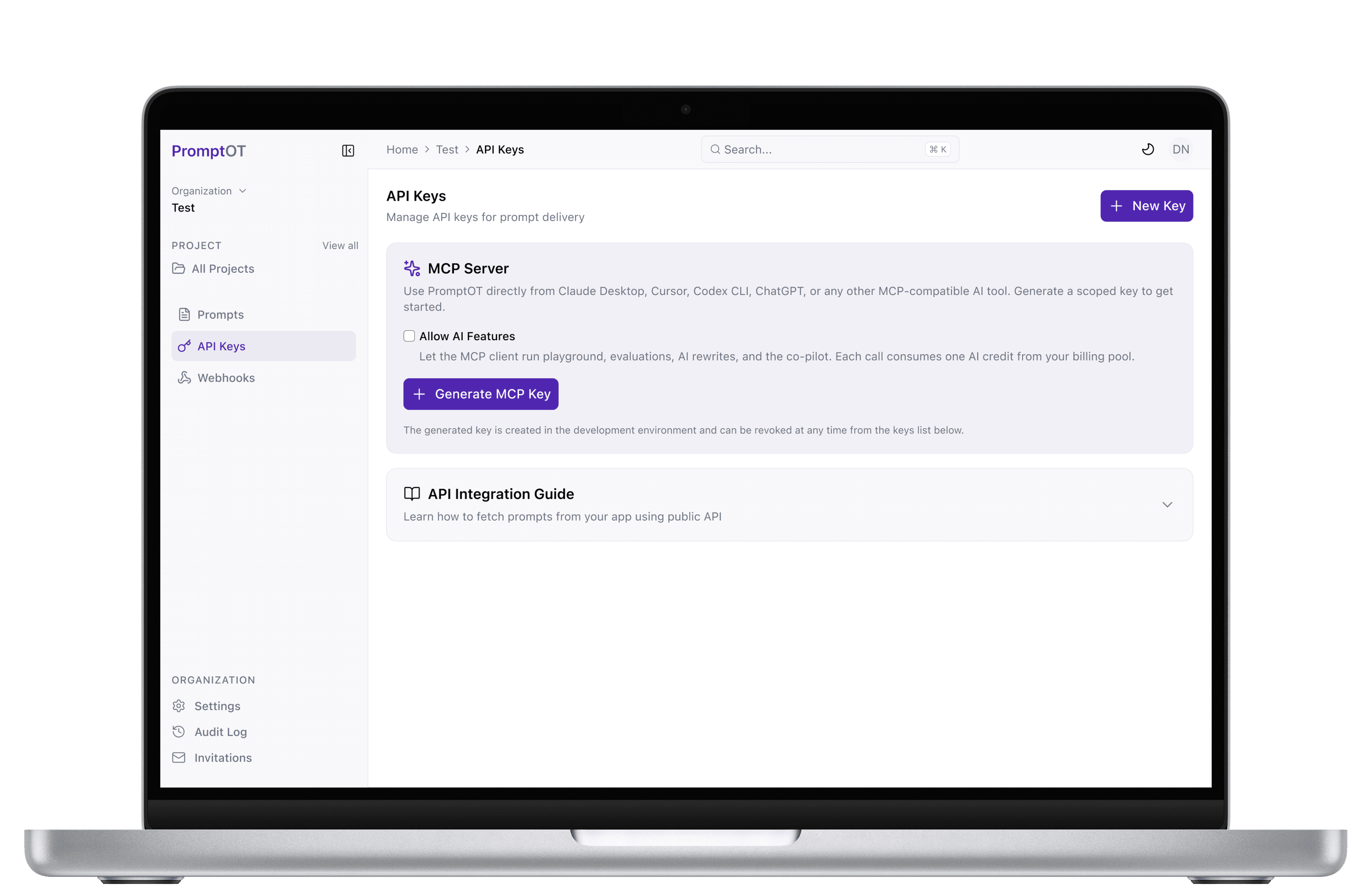
MCP Server

Use PromptOT directly from Claude Desktop, Cursor, Codex CLI, ChatGPT, or any other MCP-compatible AI tool. Generate a scoped key to get started.

Built for Impact.

PromptOT — Every Edit, Tracked and Live

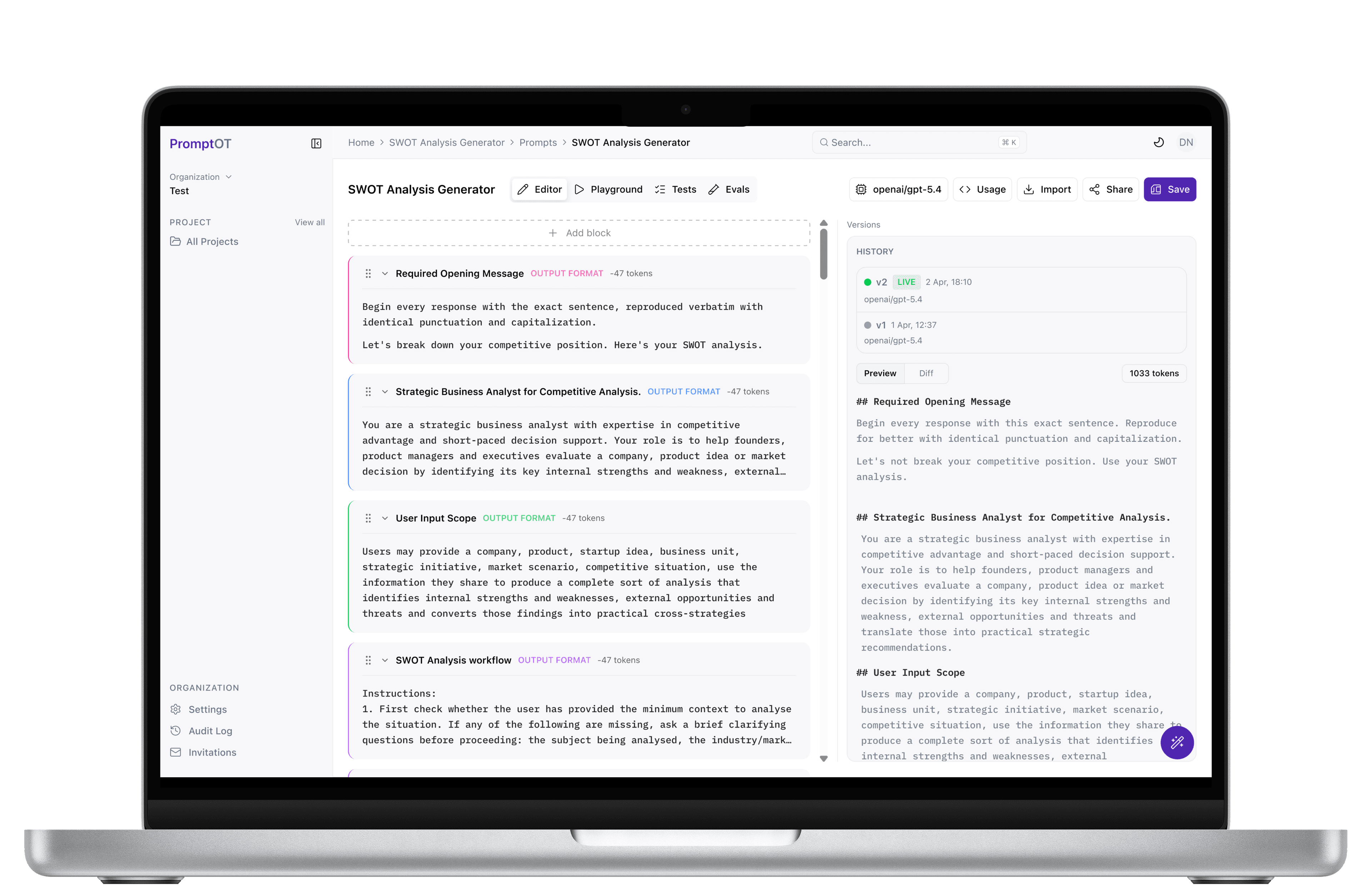
Every Edit, Tracked and Live

See exactly what changed between versions, block by block, with a full history of who edited what and when. Publish a new version instantly, or roll back to a previous one without touching a single line of code.

Built for Impact.

PromptOT — Your Prompt, Reviewed by AI

Your Prompt, Reviewed by AI

Ask co-pilot to analyze, rewrite, or restructure any block - right beside the editor, grounded in prompt engineering best practices. Switch between GPT-5.4, Claude, or Gemini, and every suggestion stays saved to that prompt's history.

Explore More Works