OneKey voice notes and task capture

Portfolio /

OneKey

We built OneKey to turn scattered voice notes into one structured capture system — merging real-time transcription, AI enhancement, and task extraction into a single, seamless mobile experience.

We shaped a workflow that feels less like note-taking and more like having a second brain that organizes itself.

Services

  • Product Strategy
  • Logo Design
  • UX Research
  • UX/UI Design
  • Design Systems
  • Mobile App Development
  • AI Integration
  • Motion Design

Scroll to explore

My best ideas never show up when I'm at a desk - they hit me on a walk, in the shower, half-asleep at 2 AM - and by the time I found something to write them down in, they were already gone. I didn't want another notes app. I wanted one place I could talk to the second a thought arrived, and trust it would actually be there later - organised, findable, usable. That's the whole reason OneKey exists.

Satya Prakash

Founder & CEO, Appeneure

My best ideas never show up when I'm at a desk - they hit me on a walk, in the shower, half-asleep at 2 AM - and by the time I found something to write them down in, they were already gone. I didn't want another notes app. I wanted one place I could talk to the second a thought arrived, and trust it would actually be there later - organised, findable, usable. That's the whole reason OneKey exists.

Satya Prakash

Founder & CEO, Appeneure

The Challenge

Complexity Simplified

Capturing a thought should never feel like starting a task. Most note-taking apps ask you to open the right app, pick a folder, choose a format - right at the moment an idea is most fragile. Every extra tap is a chance for it to slip away before it gets saved.

The real challenge was underneath the surface: hide a genuinely complex pipeline - transcription, AI enhancement, tagging, task extraction - behind an experience that feels instant, calm, and almost invisible.

Our Approach

Strategy In Action

We started by mapping the exact moment a thought happens - not a workflow, a moment. From there, we designed around a single tap: audio captures instantly, then gets out of the way, while transcription and structuring happen entirely in the background.

Every screen after that tap was built to reveal structure, not demand it. Titles generate themselves, tags apply themselves, tasks extract themselves - and by the time you'd normally still be looking for a notes app, the thought is already saved, searchable, and organized.

Design Process

From Vision To Experience

Understand

Building the foundation

  • Problem Framing
  • Capture Behavior Research
  • Note-Taking App Teardown
  • Voice-to-Structure Feasibility Study

Define

Creating product clarity

  • User Personas
  • Capture-to-Task Journey Mapping
  • Information Architecture
  • Feature Prioritization

Design

Crafting the experience

  • User Flows
  • Wireframes
  • UX Strategy
  • UI Design & System

Validate

Refining through iteration

  • Interactive Prototypes
  • Usability Testing
  • Design Iterations
  • Experience Optimization

And yes! The unlimited coffee sessions that fuel the absolute fire designs!

Development

A quiet interface. A connected engine.

OneKey connects voice capture, structured notes, task extraction, and retrieval in one workflow. The development challenge is to let the recording feel immediate while the work of organizing a thought happens behind it.

From architecture to experience

  1. Capture
  2. Structure
  3. Act
  1. Model the thought

    Separate the original recording, its transcript, the structured note, and the tasks it creates. Each stays connected to its source, so an edited note does not lose its context.

    Connected capture model
  2. Build the capture

    Bring recording states, playback, interruptions, and note editing into a mobile flow. Keep the next action clear whether someone is speaking, reviewing, or returning later.

    Voice-to-note workflow
  3. Connect the actions

    Link task extraction, retrieval across notes, and outbound webhooks to the captured content. The value is in what a note can do after it has been saved.

    Retrieval and automation
  4. Refine the handoffs

    Work through interrupted recordings, empty results, reminders, and repeat visits. The same care applied to the recording screen needs to hold across the whole capture journey.

    A complete capture journey

Technology stack

The foundations behind the experience.

  • React Native

    A shared foundation for the mobile experience.

  • Expo

    Native device capabilities and app delivery.

  • Firebase

    Identity, stored notes, and connected app services.

  • TypeScript

    Typed interfaces across the application.

Built for Impact.

OneKey — One Mic, Nothing Else Competing

One Mic, Nothing Else Competing

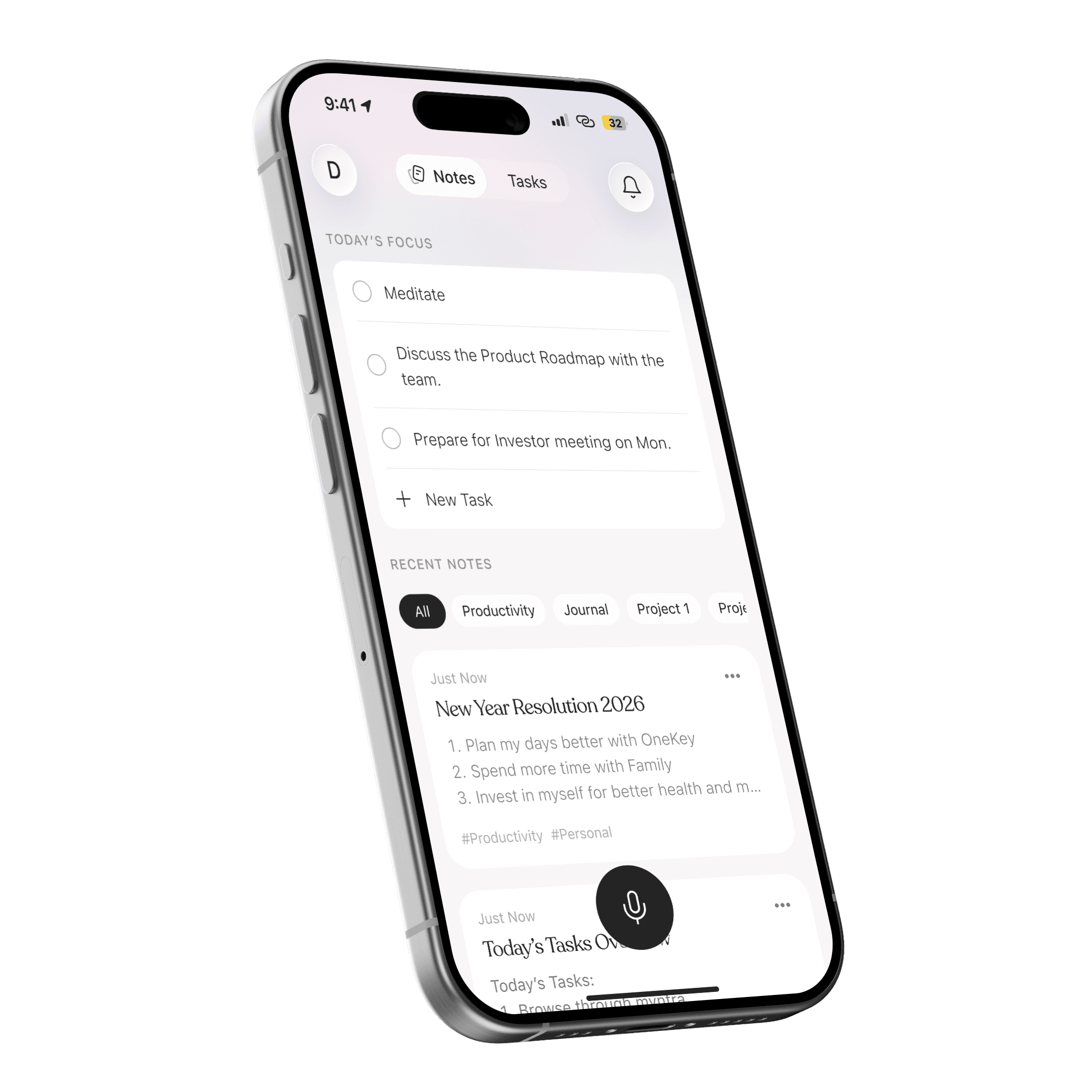
The mic is the only element on this screen with real visual weight — task creation, stat rows, and section sublabels were all removed rather than left to compete for attention. Recent Notes leads because that's what people actually return to check; Today's Focus sits secondary, trimmed to three items and nothing more.

Built for Impact.

OneKey — All Tasks, Zero Per-Note Hunting

All Tasks, Zero Per-Note Hunting

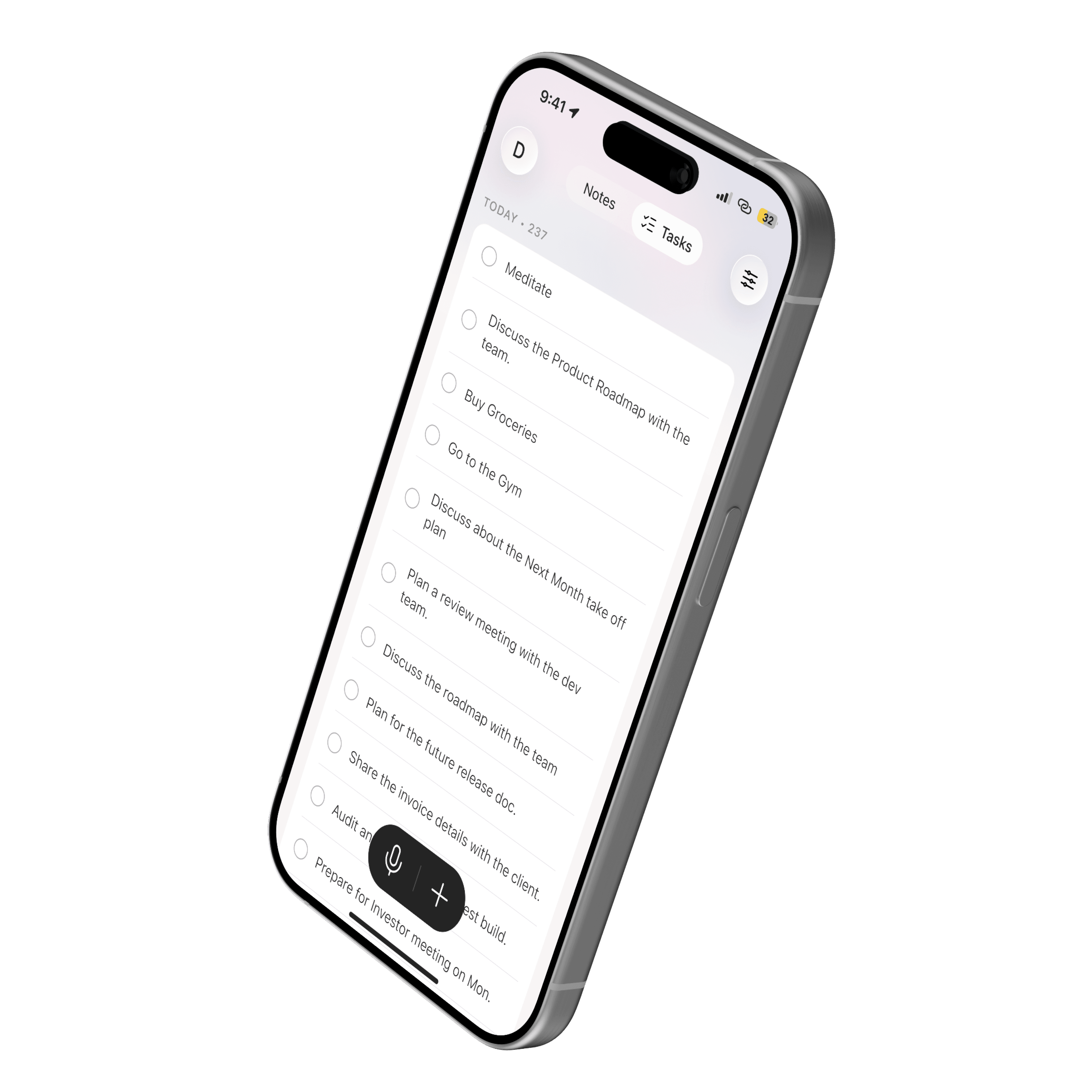
Tasks generated across a dozen different notes surface here as one flat list, instead of forcing anyone back into each source note to find them. The filter icon replaces the notification bell in this context, and the mic pairs with a manual "+" — voice or type, same list, same speed.

Built for Impact.

OneKey — The One Screen Allowed to Interrupt

The One Screen Allowed to Interrupt

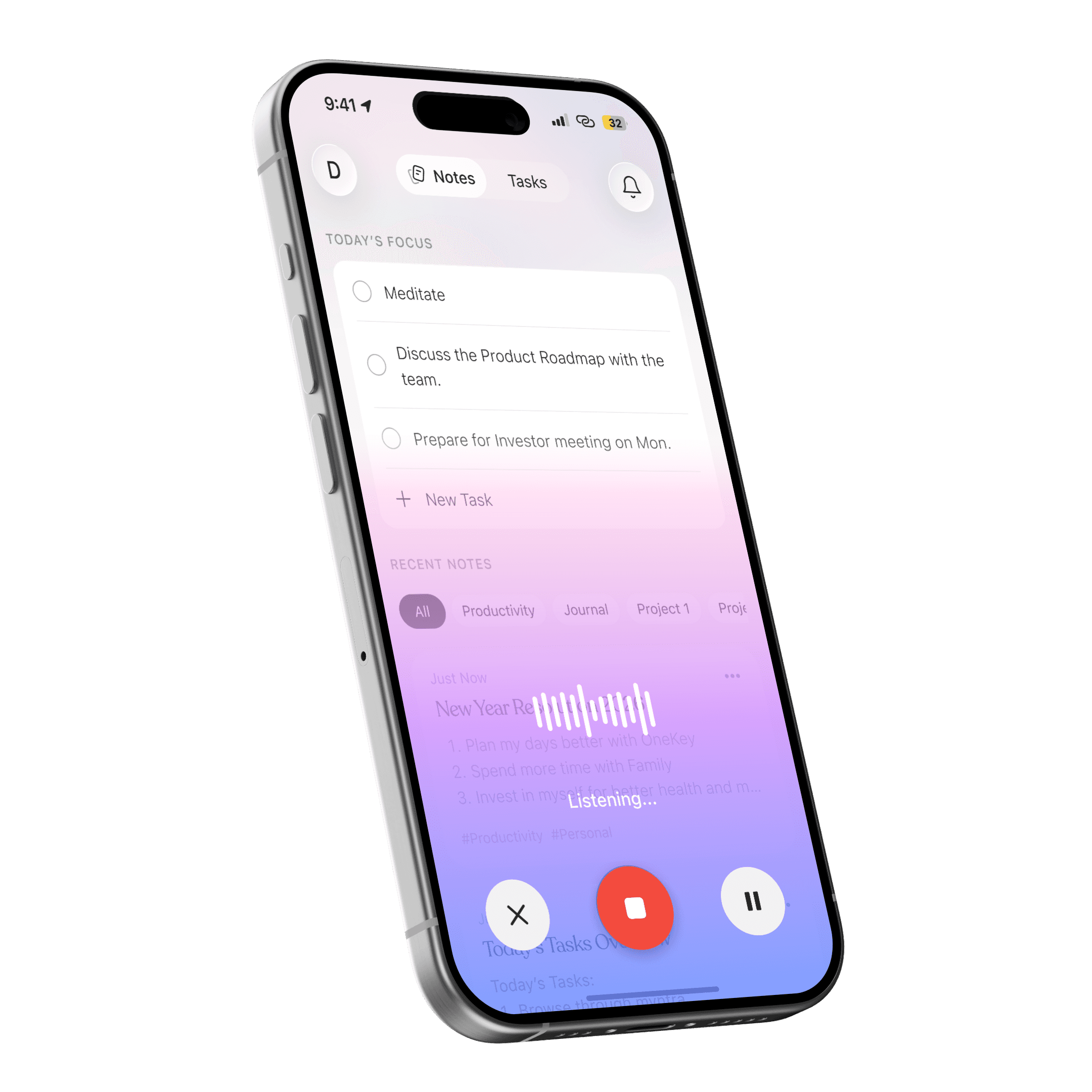
This is the single moment designed to take over — background content dims under a gradient, the waveform confirms audio is actually being captured, and cancel, stop, and pause all sit within thumb's reach. Everywhere else in the app stays quiet; this screen is the exception on purpose.

Built for Impact.

OneKey — Add a Task, Get Reminded, Done

Add a Task, Get Reminded, Done

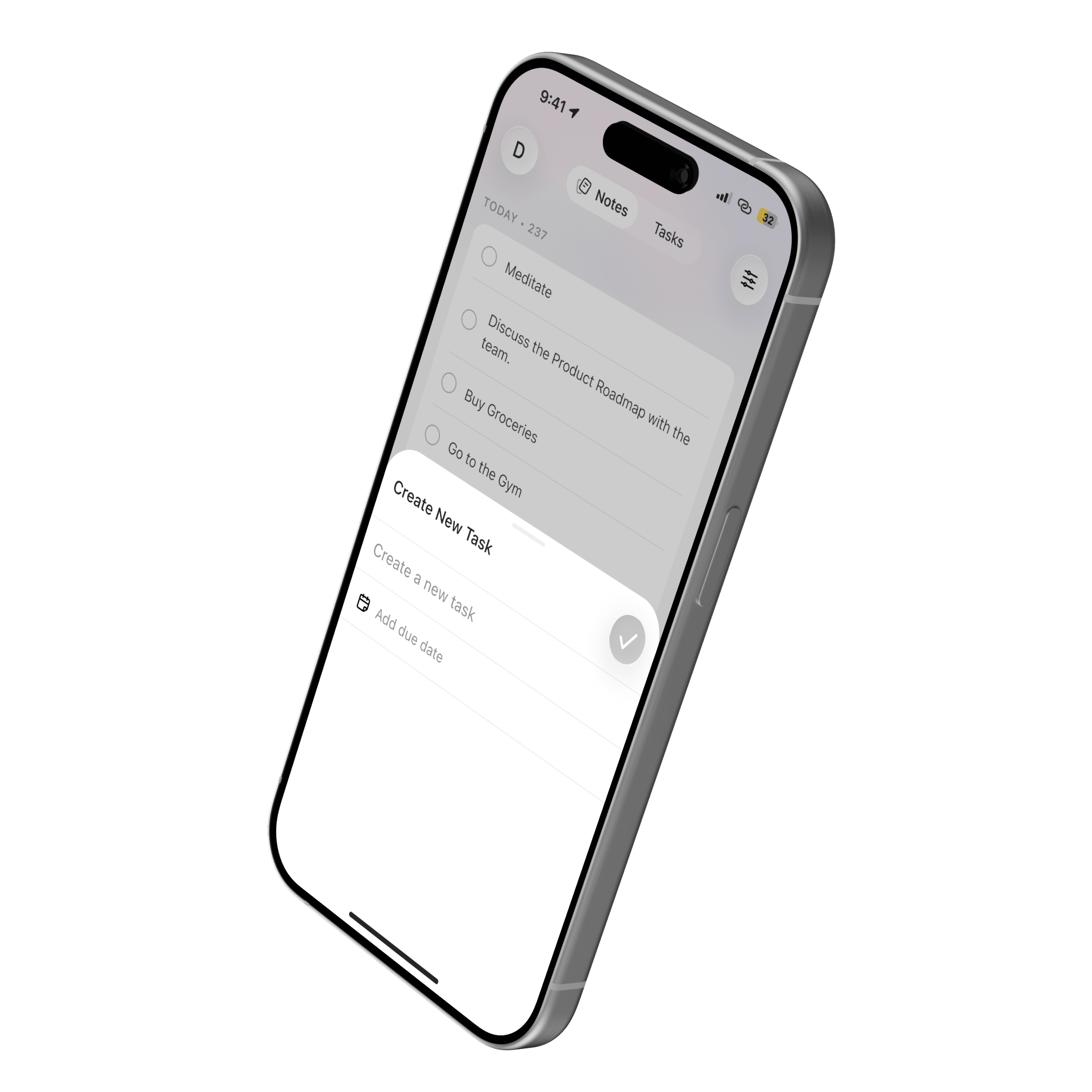
Turning a thought into a task takes one tap — no folders, no setup. Set a due date in the same breath, and it surfaces again exactly when it matters.

Built for Impact.

OneKey — Say It Messy. Read It Clean.

Say It Messy. Read It Clean.

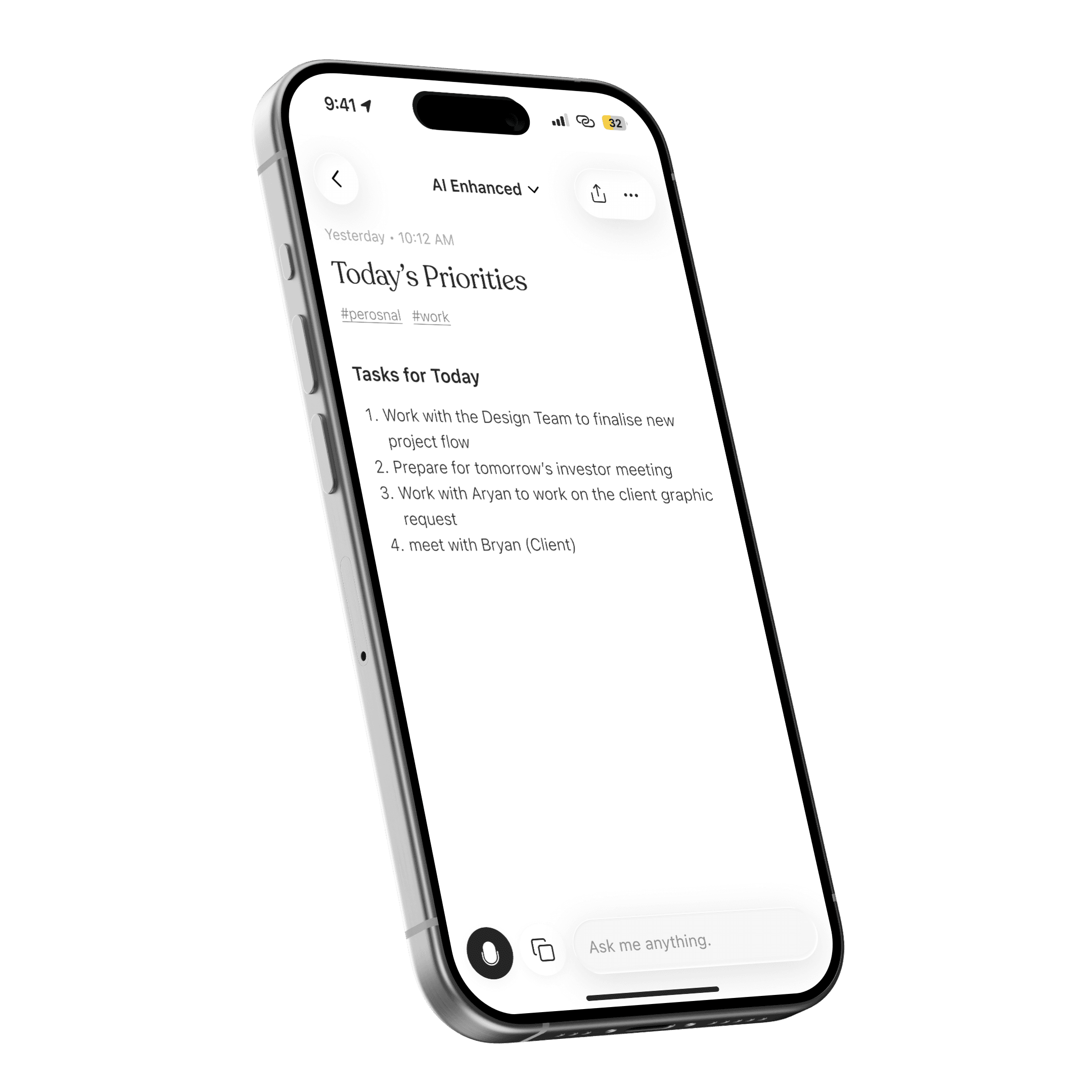
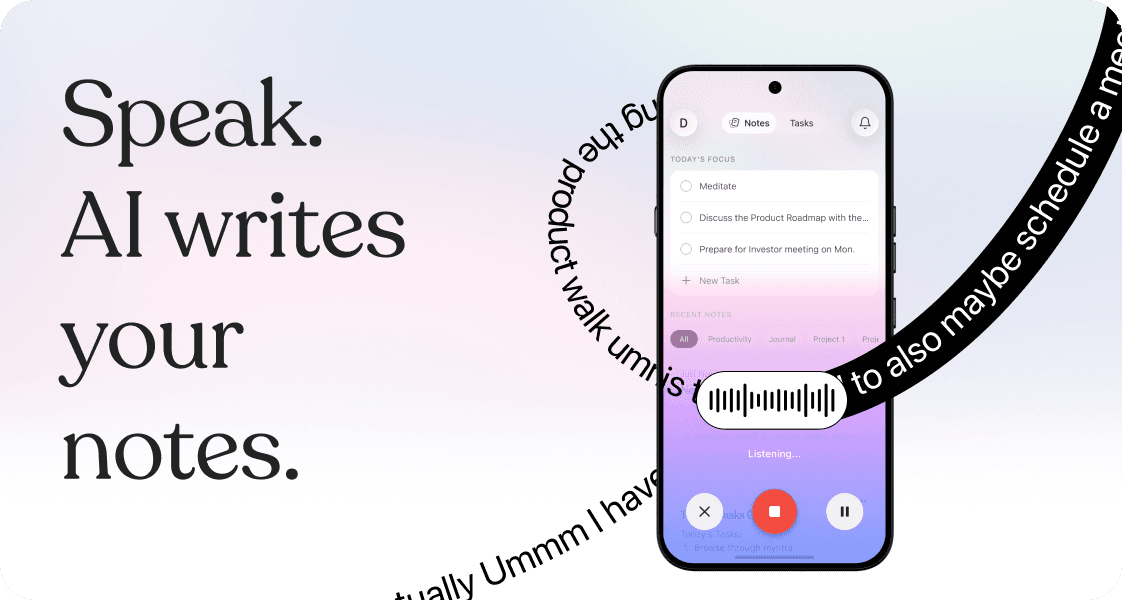
Nobody thinks in perfect sentences — real speech comes with "umm," false starts, and circling back mid-thought. OneKey filters all of that out before it ever reaches the page, turning a rambling voice note into something structured and clean. The result isn't just readable — it's a note you'd actually want to come back to.

Built for Impact.

OneKey — Ask Your Notes Anything

Ask Your Notes Anything

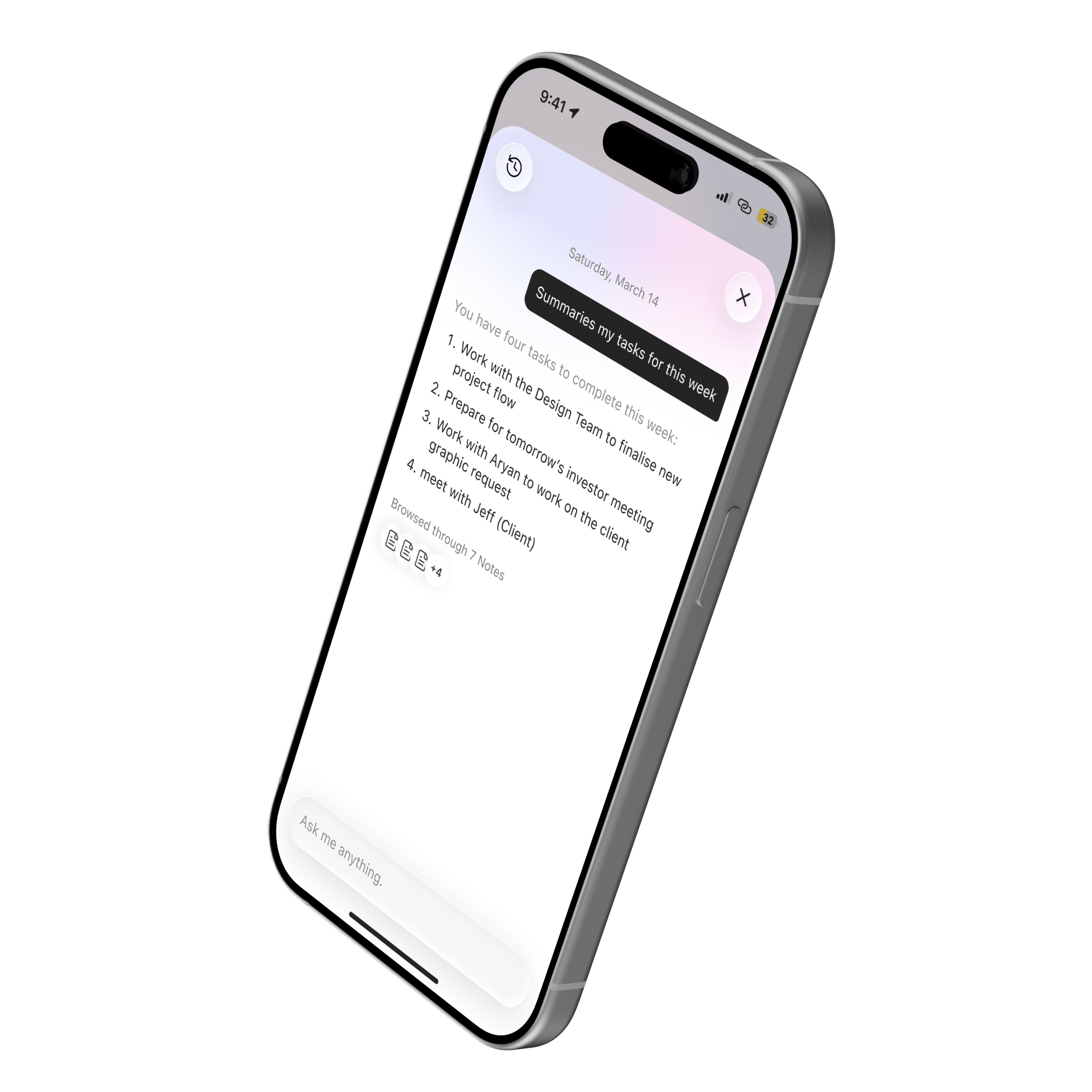
Ask any question naturally, and OneKey answers by actually reading across your notes — not just matching keywords. A RAG pipeline retrieves the exact passages relevant to your question before generating a response, so answers stay grounded in what you actually wrote, not what the model assumes.

Built for Impact.

OneKey — From Captured to Completed

From Captured to Completed

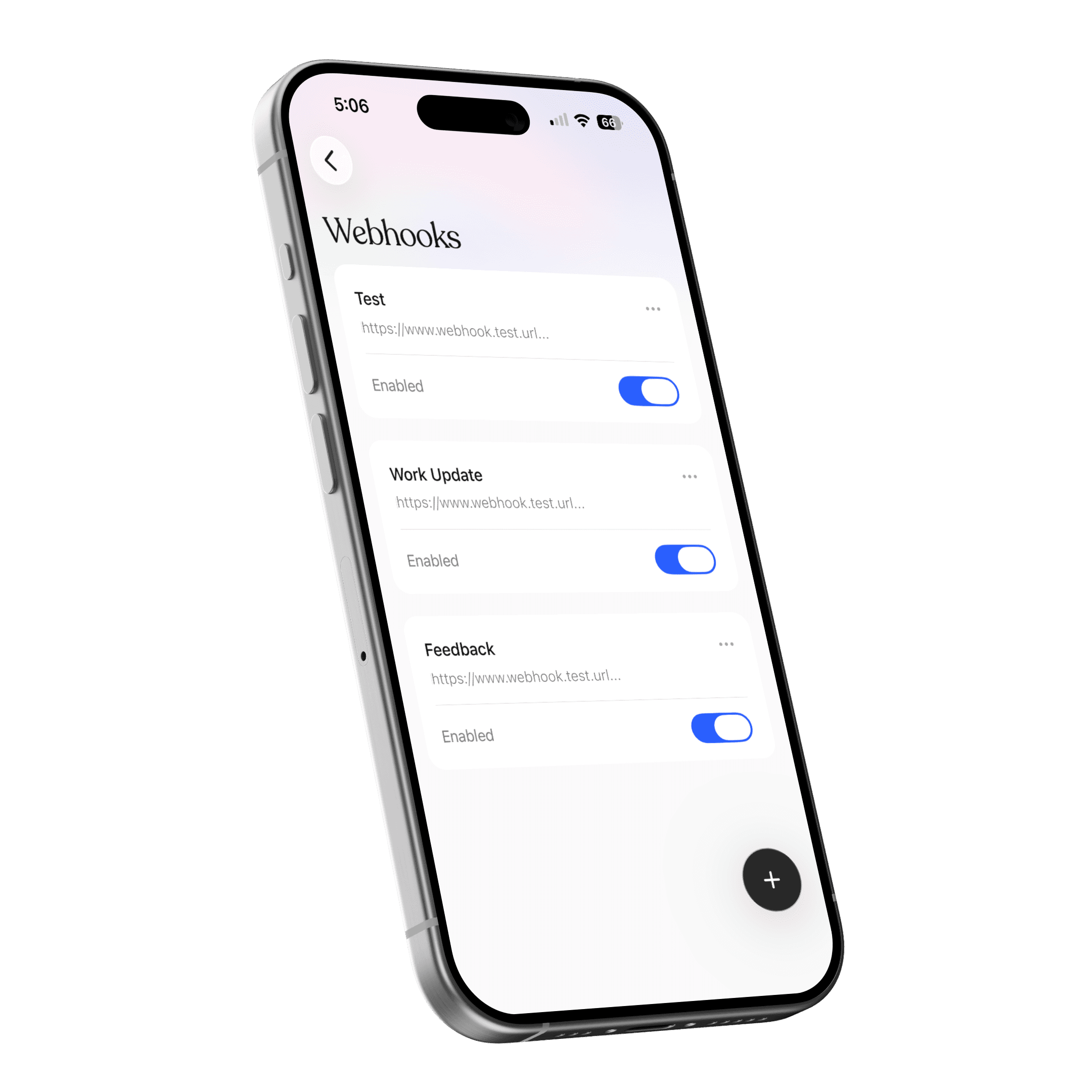
Capturing a task is only half the job - webhooks are what move it out of the app and into motion. Trigger a Slack message, kick off a Zapier flow, or hit your own endpoint the moment a note is created, so "noted" can actually turn into "done."

Explore More Works